Facility Task Types
Facility Task Types
There are some items to be set up for Facility Task Types to be used effectively. To set them up:
- To set up the Facility Task Types Code Table, select Setup >> System Tables >> Code Tables.
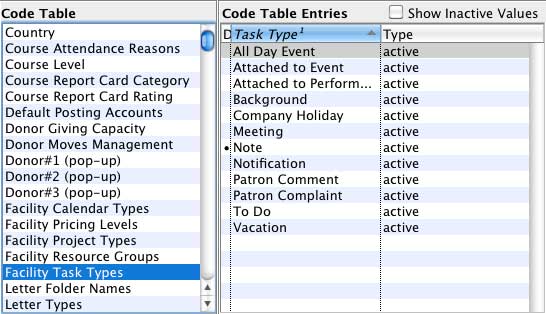
You use these to assign a particular type to a task, such as, Meeting, Holiday, Attached to Event / Play, etc.
- You also use these to categorize Tasks.
Each task type is attached to a calendar type that influences its behavior.
For example, if the calendar type is Attached to Performance, a performance must be entered. If the calendar type is ToDo, it has a Drop Dead date, but not a beginning date.
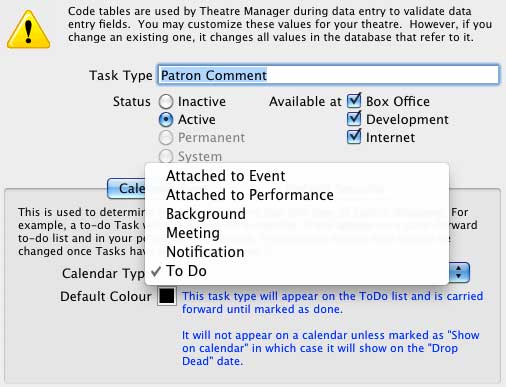
- Each task type can be assigned a color.
If this colour is left at black, then the default color for tasks or projects is used on the calendar. If you assign a colour, that colour is used for all tasks of that type, unless you override the colour for a specific task or project