Disable Sales Promotions
Disable Sales Promotions
Sales promotions can be enabled or disabled in a batch mode using the 'Enable' and 'Disable' menu items on the sales promotion list window.
To Disable a batch, you perform the following steps:
- Select the promotions you want to disable.
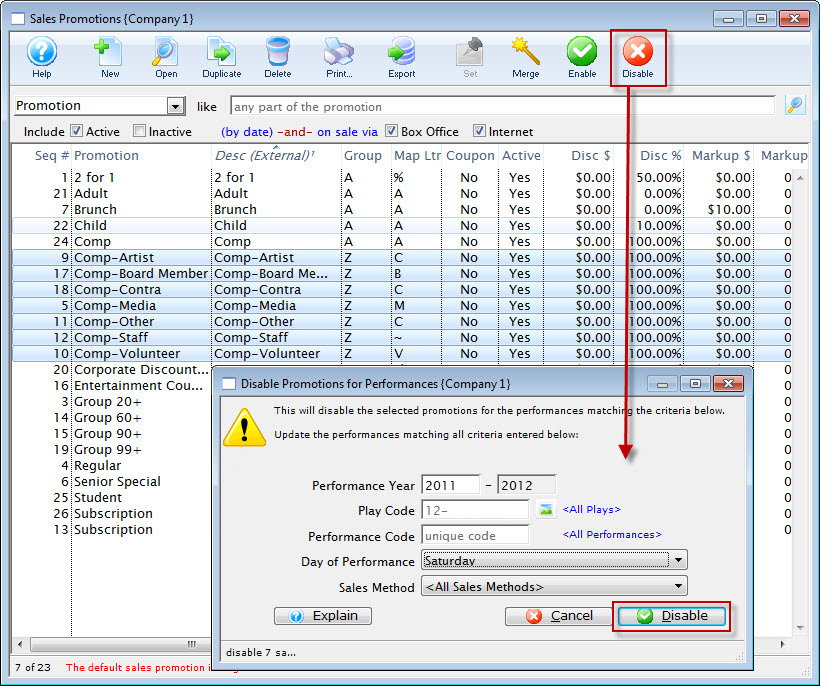
- Click the Disable
 button.
The Disable Promomotions for Performance dialog opens.
- Enter the information for the disabling of the promotions, when complete, click the Disable
 button.
The Disable Promotions Confirmation dialog opens.
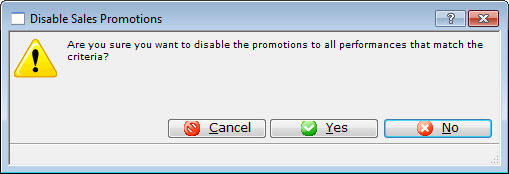
- Click the Yes
 button to disable the selected Promotions.