Patron Balances ...
Patron Balances ...
The rebuild Patron Balances function is used to verify that the totals on all the orders for a specified patron are in balance. This is useful when working through problems in the End of Day.
- From the main menu bar, go to Setup >> Batch Functions >> Patron Balances...
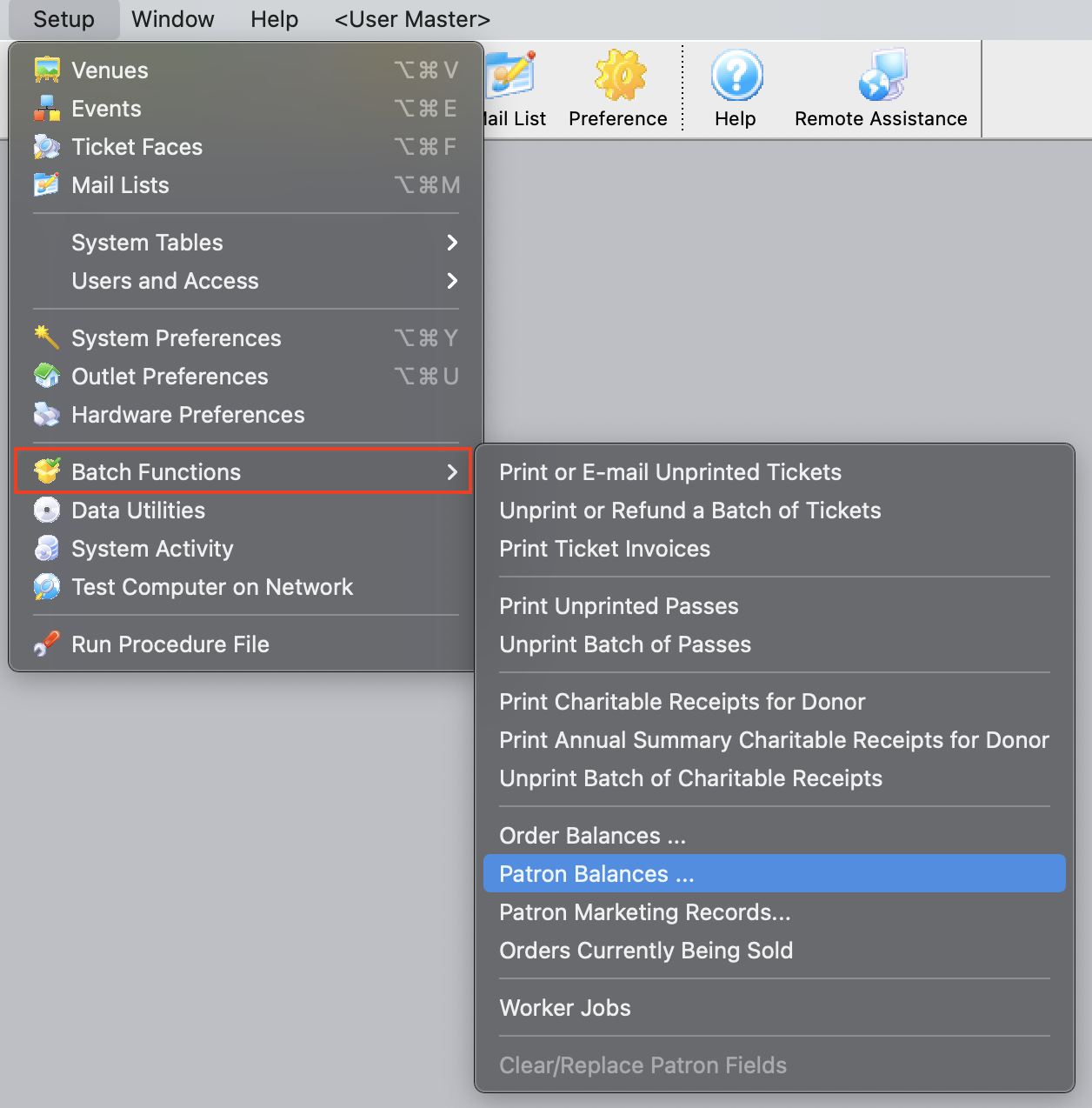
This will open the Verify Patron Balances window.
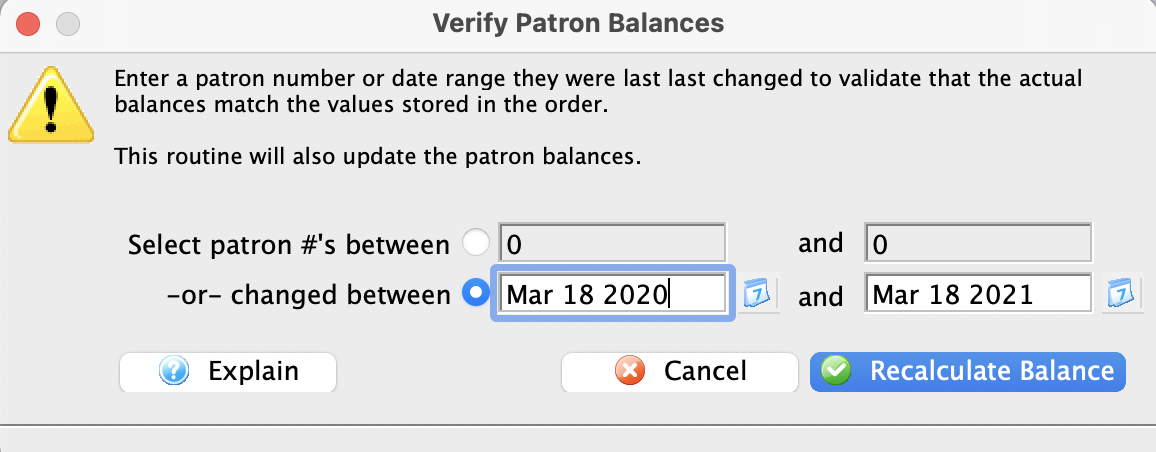
- Enter the range of patrons for whom you wish to verify all order balances (or a single patron).
Patron balances can be verified either based on Patron number or by a date range of when the patron account was last changed.
- Click the Recalculate Balance button
A confirmation window will appear.
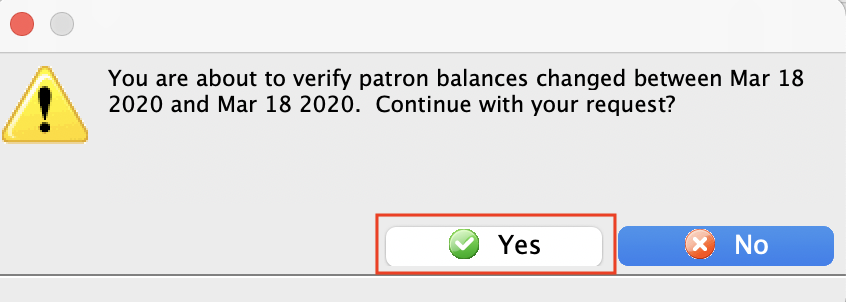
- Click the Yes button.
The patron balances within the range will now be verified and upon completion, the window will close.