Canceling a Disable Use of Theatre Manager session
Canceling a Disable Use of Theatre Manager session
If you need to cancel a Disable Use of Theatre Manager session because the planned maintenance took less time than was originally scheduled, you can easily do so by "Allowing Login" once again.
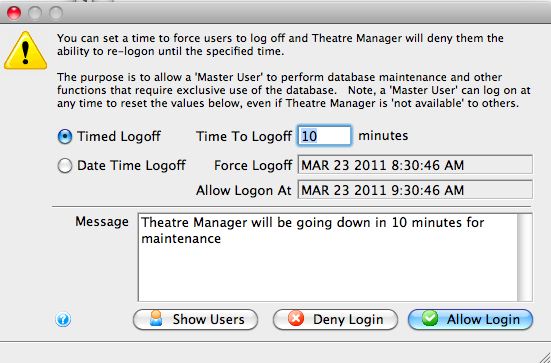
- Log on to Theatre Manager as a Master User
- Open the Disable Access function, located via the Setup >> Users and Access >> Disable Access menu.
- Click the
 button.
For more about the Disable Access function click here.