In Code Documentation
Class Documentation
Class Documentation
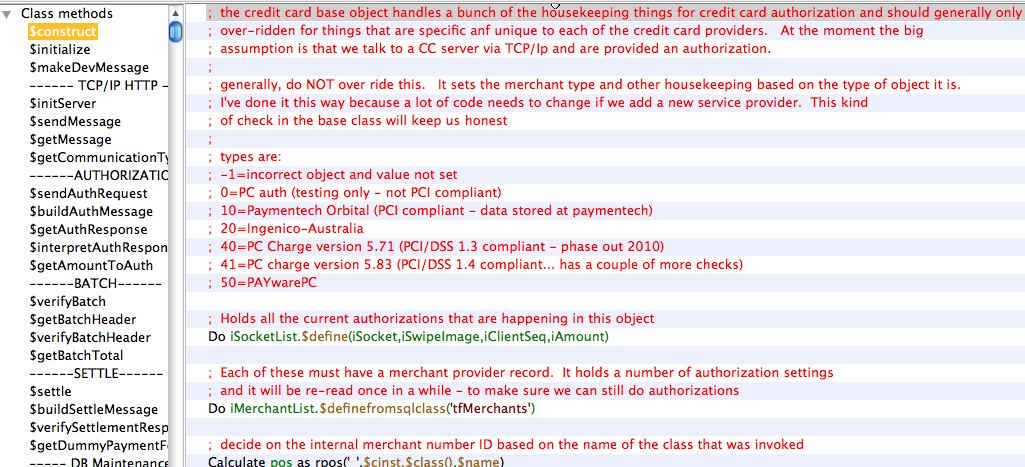
Method Documentation
Method Documentation
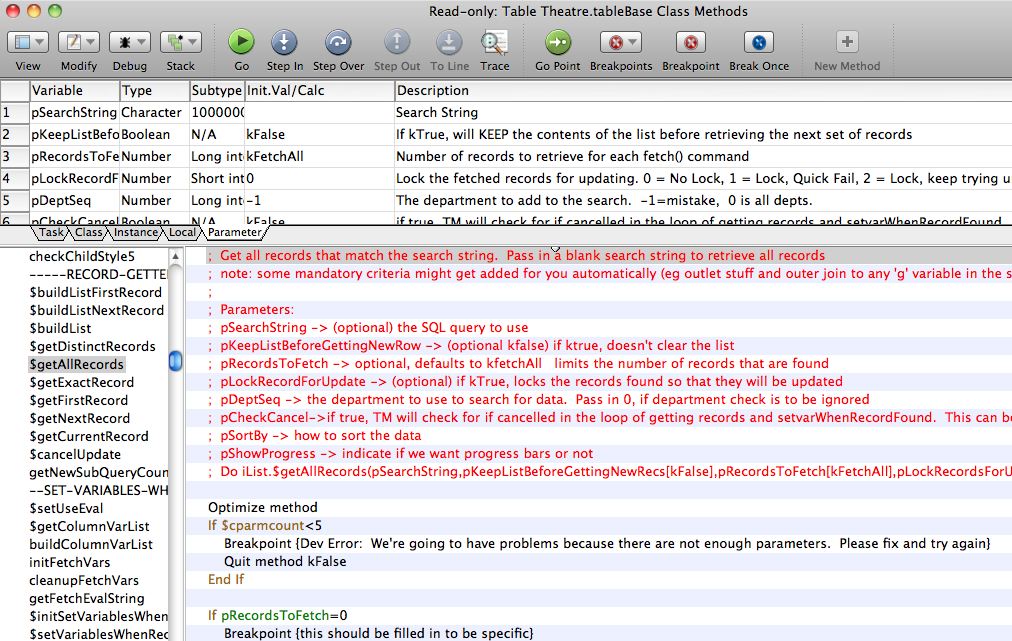
- a description for each parameter must be entered in the upper area
- In the method, at the top, is a description of the purpose of the method
- The parameters are repeated in text format as part of the method so that when a method is over-ridden, the parameter description will be copied into the over-ridden method.
- If there is an expected return value, document those at the top of the method
Also indicate if this method should never be over-ridden except in rare cases, could be overridden, or should be overridden.
Schema Documentation
Schema Documentation
This is one of the most important setup steps when creating new data base fields.
Schemas are to be documented in three places.
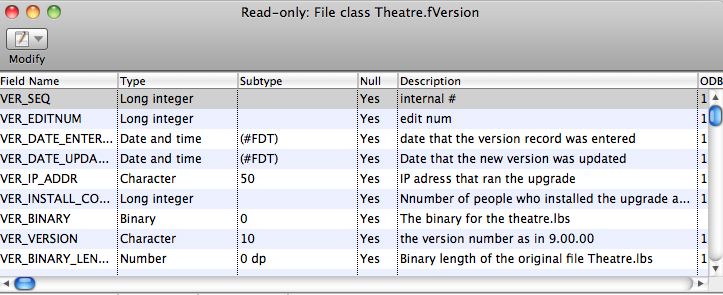
File Class
First, all database schemas will have a Studio ‘File’ class like the example below. The description in this area is for programmer assistance. It will show as tooltips to describe the field when looking it up for coding purposes.
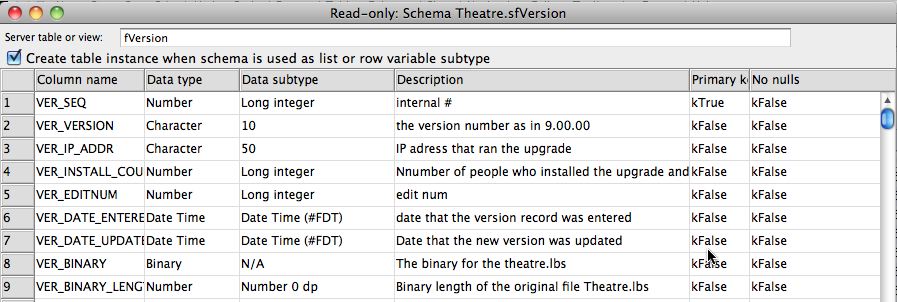
Schema Class
Most file classes have a corresponding schema class. The schema class is what actually is used to describe the database fields and interact with the database. The field names, types, subtypes, and descriptions should be copied from the file class. This is also for programmer tool-tip quick documentation
Data Dictionary
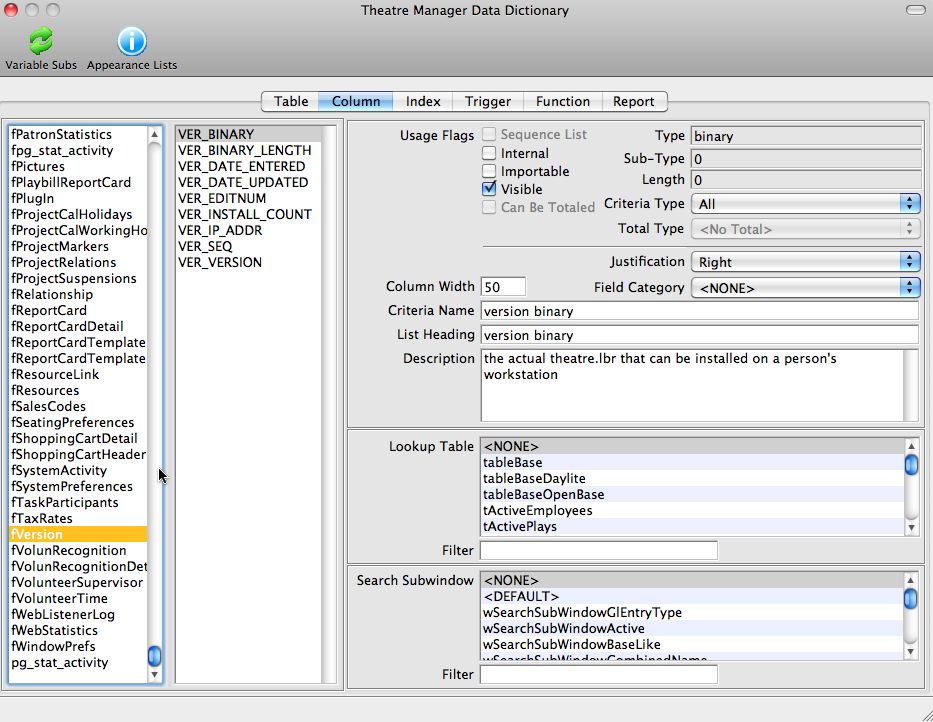
Once the file and schema classes have been defined, customer friendly field names are to be placed into the data dictionary. This is accessed off the Developer Menu->Data Dictionary.
Customer friendly descriptions are to be defined, along with a number of other data attributes as follows:
- Criteria Name (medium length name of the field for help)
- List Heading (short description of the field for the top of list columns wherever the field is used)
- Description (the tool tip to be displayed for the user when they hover over the field on any window)
- Usage flags for visibility and other options in Theatre Manager
- Justification for columns in lists
- Criteria level for use as a search field in reports and mail lists
- Lookup table - if the field is an enumerated data type and the user is to select 'is one of' the values from the list
- Search Sub Window which defines the sub window class to be used in list windows when this variable is used a search field
Enumerated Type Documentation (codetables)
Enumerated Type Documentation (codetables)
- FC_SEQ is the lookup number stored in a SEQ key in the database
- FC_RESULT1_NAME is the description displayed to the user
- FC_DEFAULT set to true for the item that is the default entry field
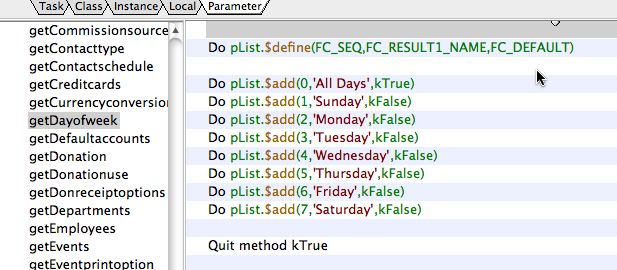
Within the 'oCodetables' class, there are a number of getters that will load up any one of the tables into your object.