Mail List of Patrons Attending an Event
Mail List of Patrons Attending an Event
In this example, of creating a mail list of Patron Attending an Event, the event name will be "Rolling Lego Concert". This mail list will only function if the Confirm Attendance function is being used.
- Open the Mail List Window.
Click here to learn how to access this window.
- Click the New
 button.
- Enter a detailed name for the list.
- Enter a detailed description of the mail list.
This mail list is comprised of patrons who attended the recent Rolling Lego Concert.
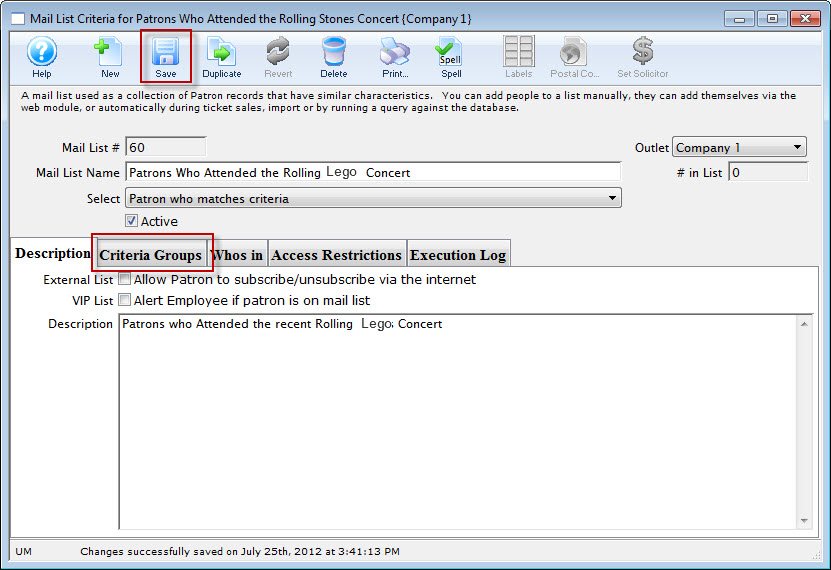
- Click the Save
 button.
Once this information has been entered you can now begin to enter your criteria.
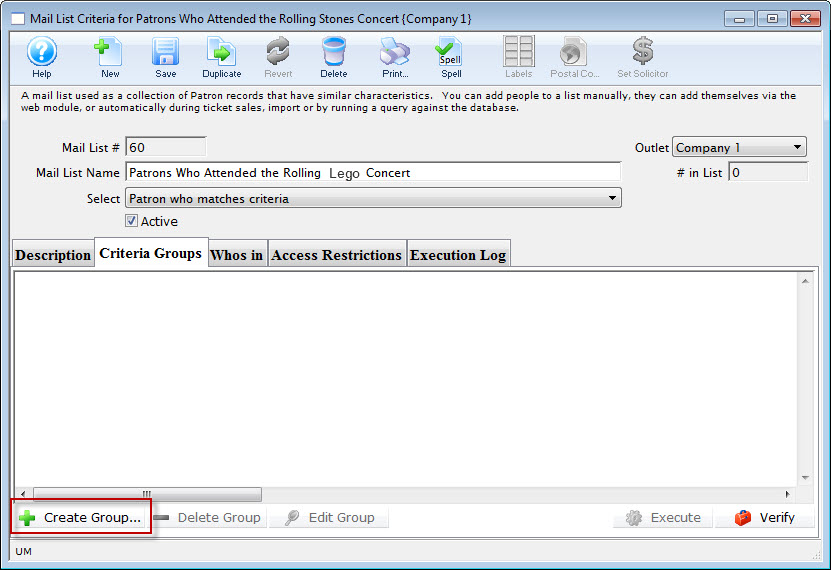
- Click the Criteria Groups
 tab.
- Click the Create Group
 button.
- Choose To Add Patrons to the Mail List.
The Mail List Data Selection dialog opens.
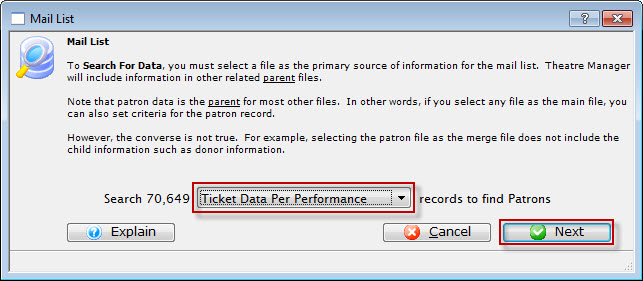
- Choose "Ticket data per Performance" file.
- Click the Next
 button.
The Parameter window opens.
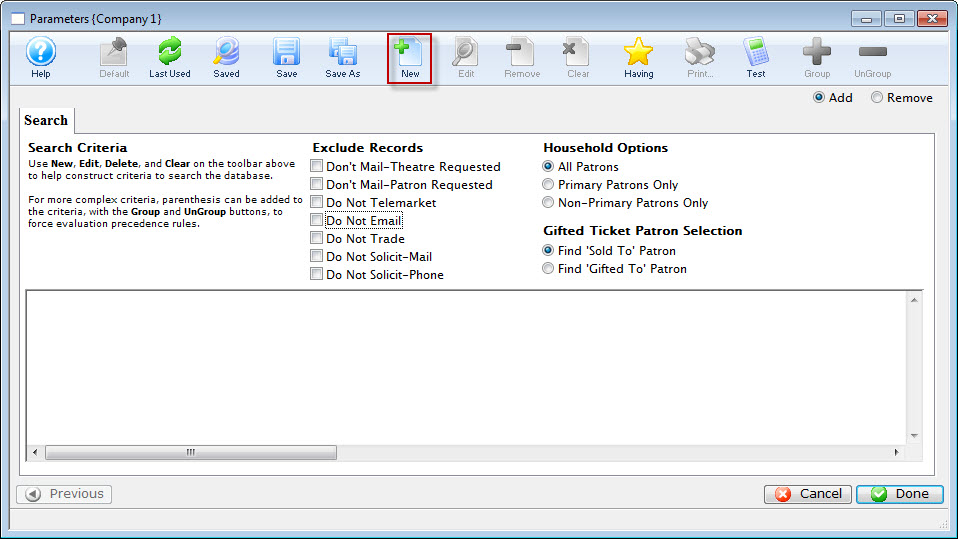
- Click the New button.
The Add/Edit Parameter window opens.
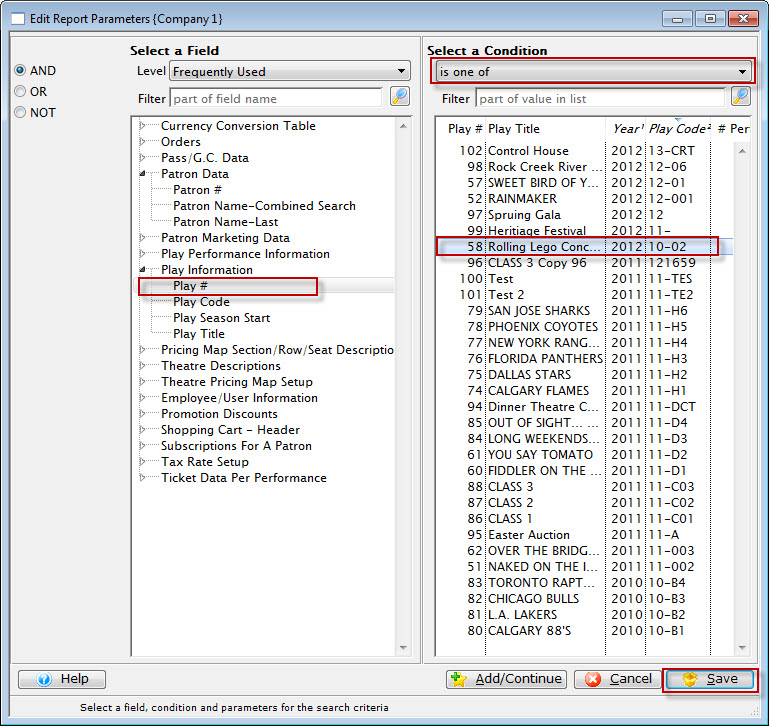
- Choose "Play #", "is one of", select "Rolling Lego Concert".
- Click the Save
 button.
You are returned to the Parameter window.
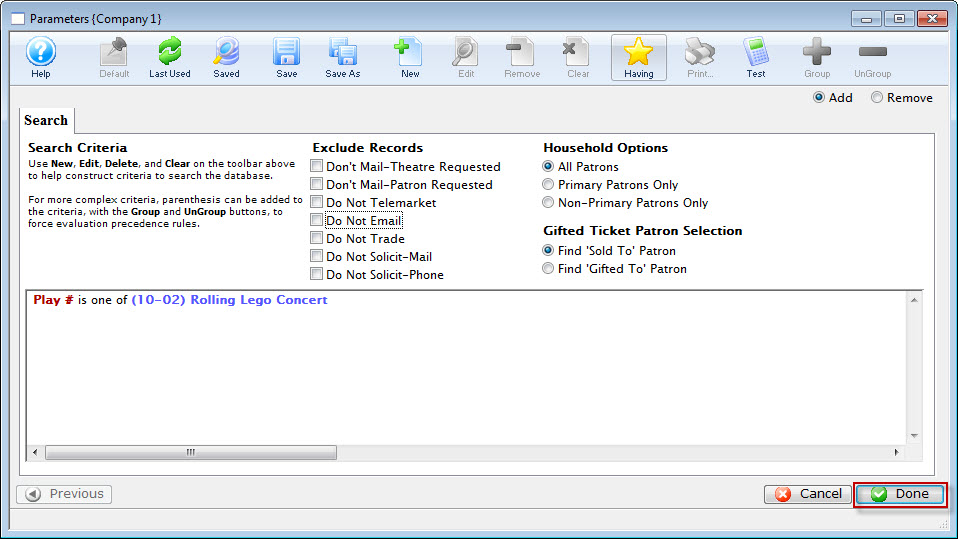
- Click the Done
 button.
You are returned to the Mail List Criteria Groups tab.
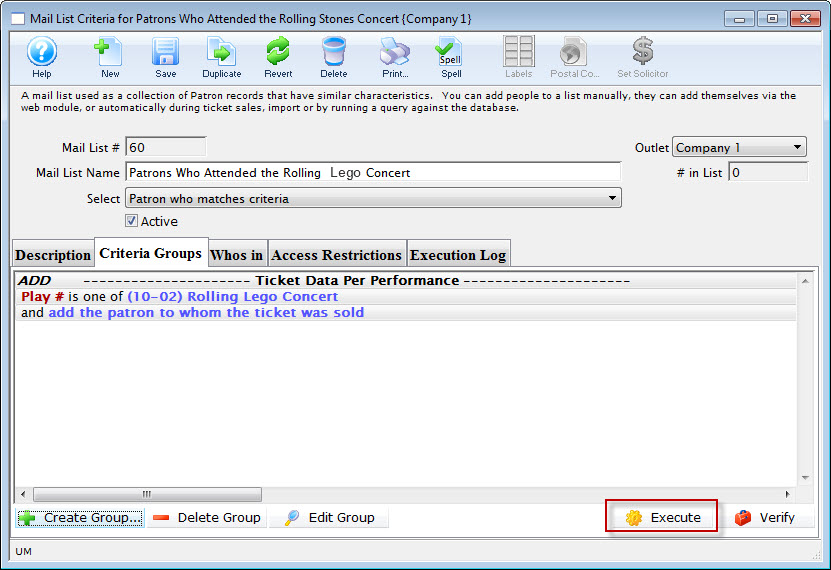
- Click the Execute
 button.