Exclude Price Codes
Exclude Price Codes
The Exclude Price Codes field can be used to prevent a Sales Promotion from having access to the specified prices. It's designed increase the efficiency of a Sales Promotion and prevent a ticket from being sold at the wrong price point.
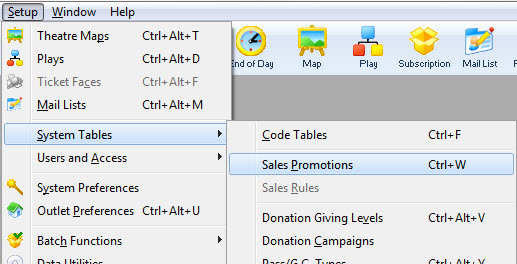
- Open the Sales Promotions window by clickinging Setup>>System Tables>>Sales Promotions.
The Sales Promotions list window opens. Enter any search parameters and click the Search button to display a list of promotions that match your criteria.
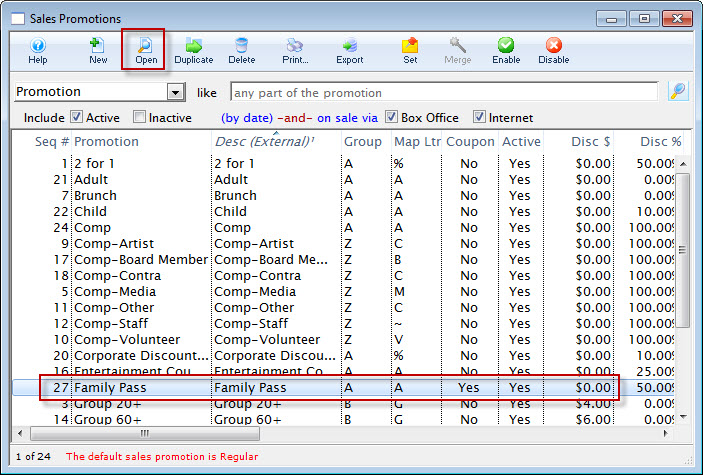
- Click on the promotion you want to edit.
- Click the Open
 Button.
The Promotion Code Detail Window will open with the data for the selected promotion.
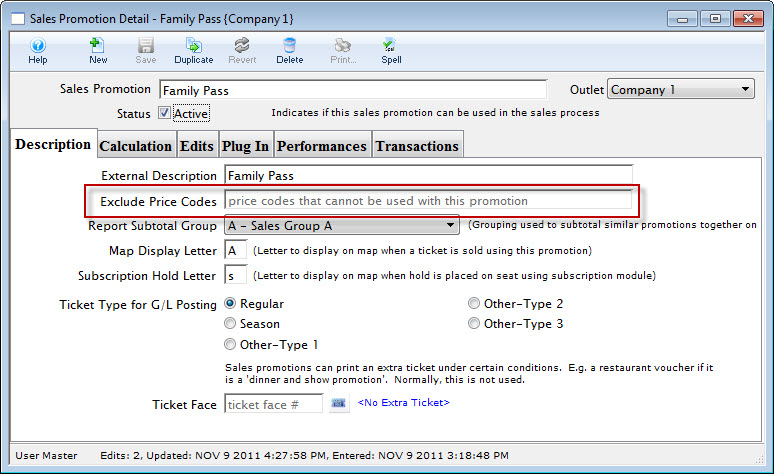
- Locate the Exclude Price Codes fields under the External Discription field.

- Enter the Price Codes to be excluded for this Promotion.
- Click the Save
 button.
Close the Promotion Detail window.