Merging Form Letters with Donations
Merging Form Letters with Donations
As you are creating a new donation for a patron Theatre Manager gives you the option to merge the donation with a form letter. This letter could be a Thank You or Invitation to special donor only events. A variety of letters can be easily setup using Theatre Manager to create new letters. For more information on Form Letters click here. If you require to merge letters with many donations or tax receipts refer to Merging Letters & Tax Receipts using reports.
To merging a Form Letter with a Tax Receipt, you perform the following steps:
- Insert the donation.
Click here to learn how to insert donations.
- Selection the Donation in the Patron Donations tab.
- Click the Open
 button.
- Select the Receipts
 tab.
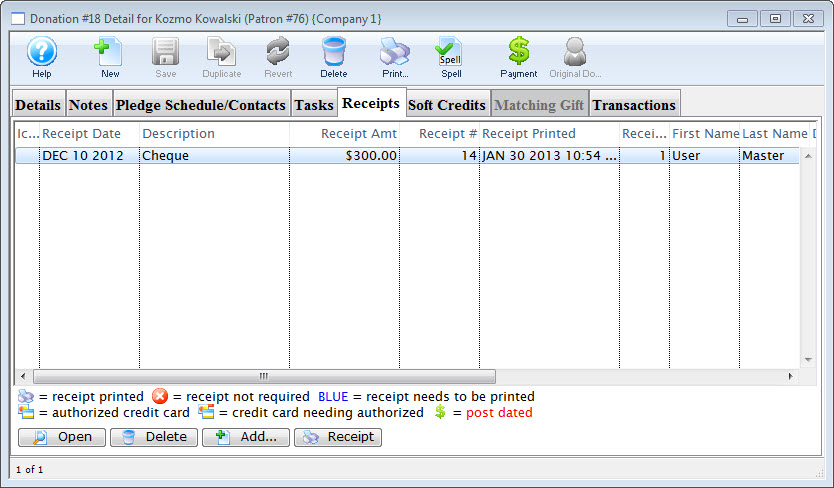
- Select the receipt to merge the letter with.
- Click the Add
 button.
The Form Letter Selection window will open.
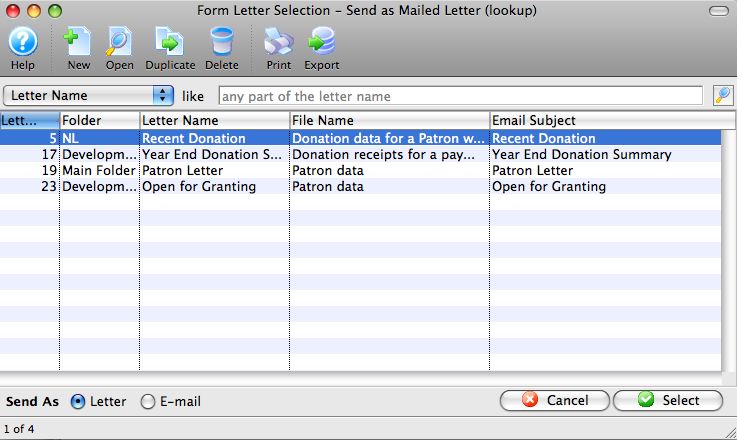
- Click the Search
 button to generate a list of Form Letters.
- Select the Form Letter to add to the donation.
Single click on a letter to select it.
- Click the Select button
 button.
The selected letter(s) have now been merged with the receipt and will be printed when the Batch Function "Print Charitable Receipts for Donor" function is initiated.
To merge a Form Letter with a Donation
- Insert the donation.
Click here to learn how to insert donations.
- Select the Donation in the Patron Donations tab.
- Click the Open button.
- Click the Pledge Schedule/Contacts
 tab.
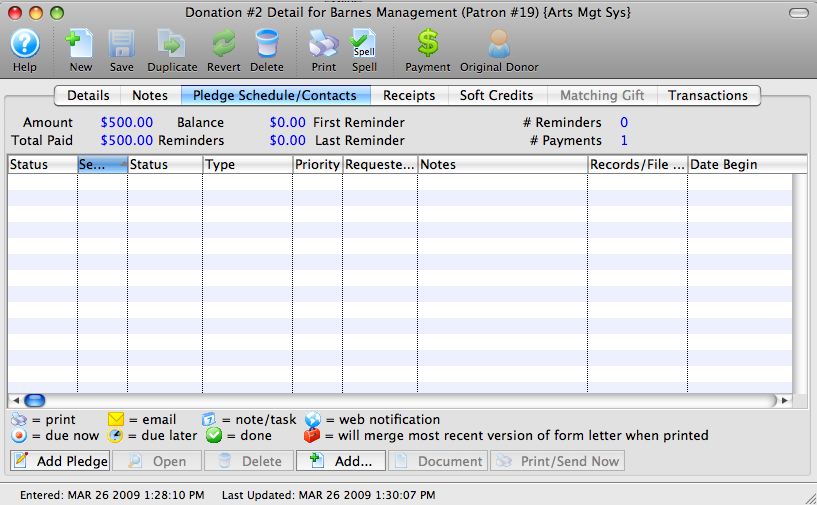
- Click the Add button.
The Form Letter Selection window opens.
- Click the Search button to generate a list of Form Letters.
- Select the Form Letter to add to the donation.
Single click on a letter to select it.
- Click the Add button.
The selected letter(s) have now been merged with the donation and is ready to print. Click here to learn more about printing letters.