Exporting Ticket Faces
Exporting Ticket Faces
- Open the Ticket Faces List window.
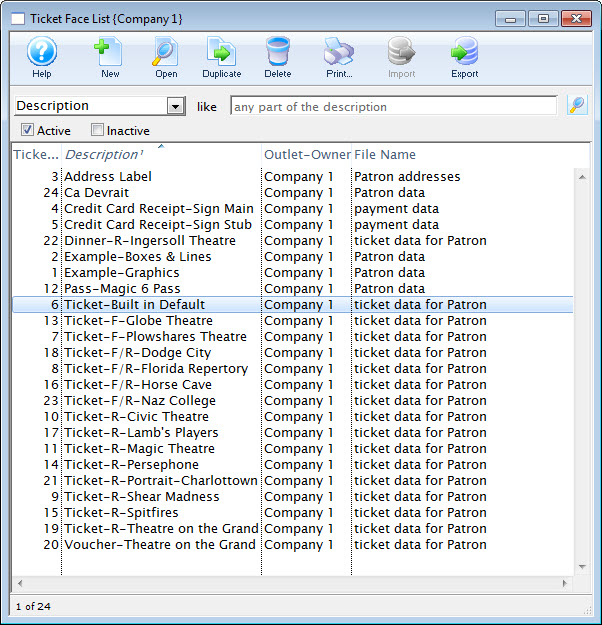
Click here to learn how to access this window.
Click here for a detailed description of this window and it's functions.
- Select the ticket face to be exported.
Single click on a ticket face to select it.
- Click the Export
 button.
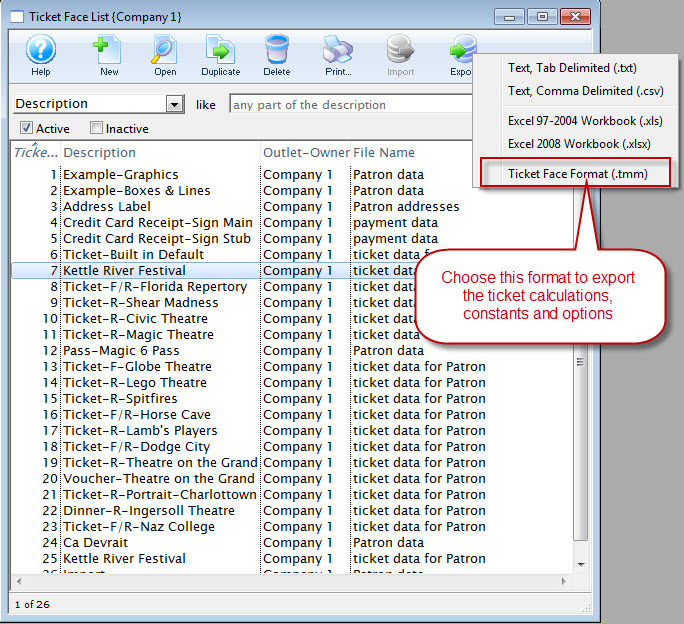
The Export Ticket Face dialog opens for your operating system.
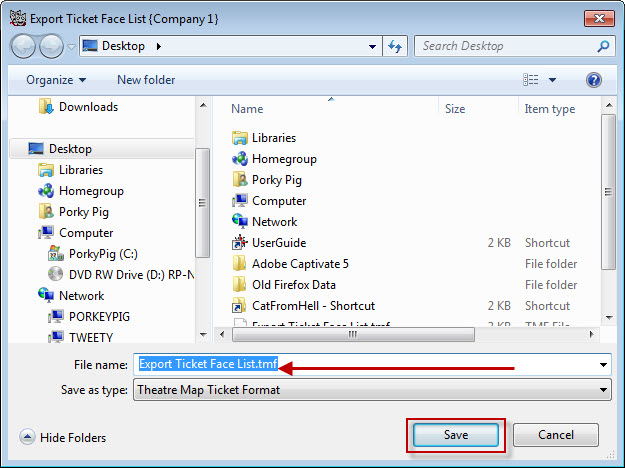
- Browse to the location to save the file.
- Give the file a unique name the file.
- Click the Save button.
The ticket face will be exported as a .tmf file to the specified location.