Editing Tax Codes
Editing Tax Codes
- Click Setup >> System Tables >> Tax Tables.
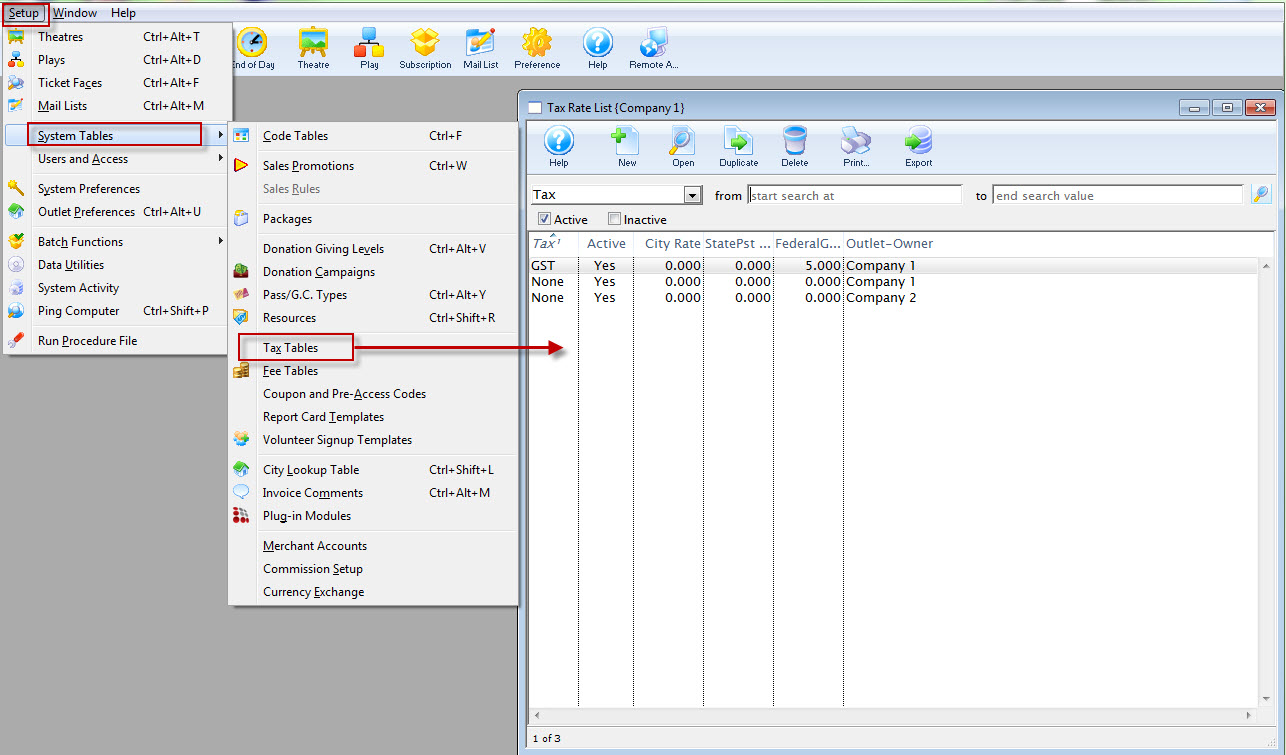
The Tax Rate List window opens.
Click here for a description of this window.
- Select the tax code you wish to edit.
Do this by single clicking on the value.
- Click the Open
 button.
The tax rate detail window will open with the data for the selected tax code.
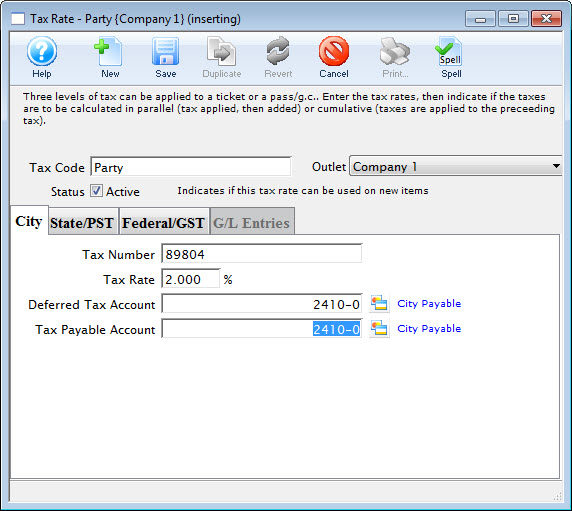
- Change data as required.
- Click the Save
 button.