Deleting Giving Levels
Deleting Giving Levels
Giving levels are contained in matrix. Giving levels cab be deleted as the entire matrix or a single level in a matrix. A giving level or matrix used by a donation campaign can not be deleted.
To delete a Giving Level Matrix, you perform the following steps:
- Open the Donation Giving Levels window.
Click here to learn how to access this window.
- Select the giving level matrix.
Single click on a matrix to select it.
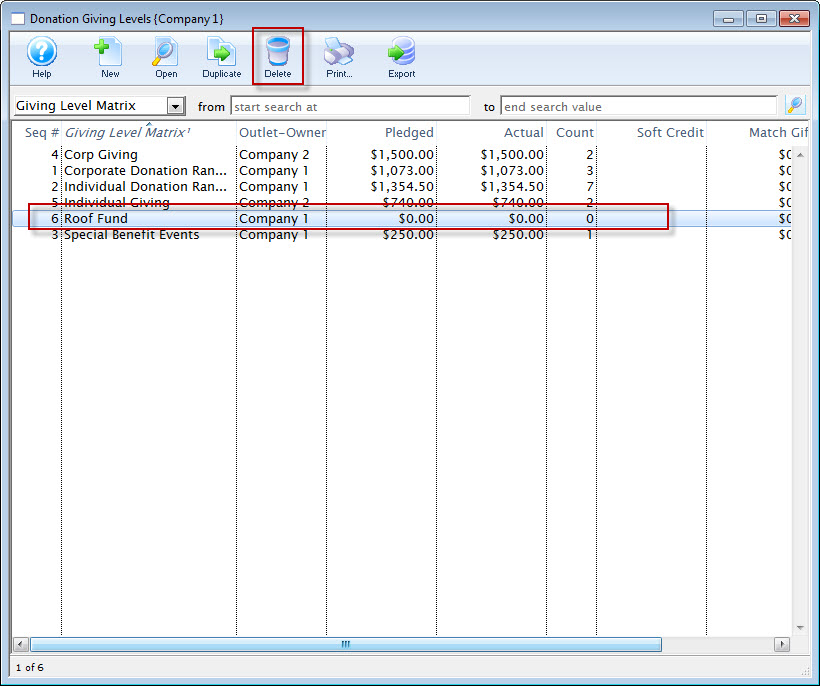
- Click the Delete
 button.
The Delete Level confirmation dialog opens.
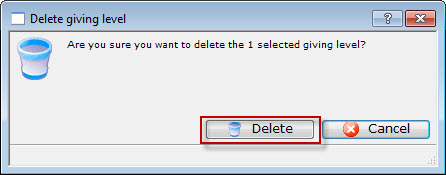
- Click the Delete
 button to delete the selected giving level matrix