Solicitor Tab
Solicitor Tab
The Solicitor tab shows information about the donations which the
employee has taken in. The "Allow Employee to be a Solicitor" must
be selected to allow the employee to accept donations under there
name.
If you wish somebody to tracked as a solicitor (like a Board member), you will need to make them an employee and give them no access to login to theatre manager.
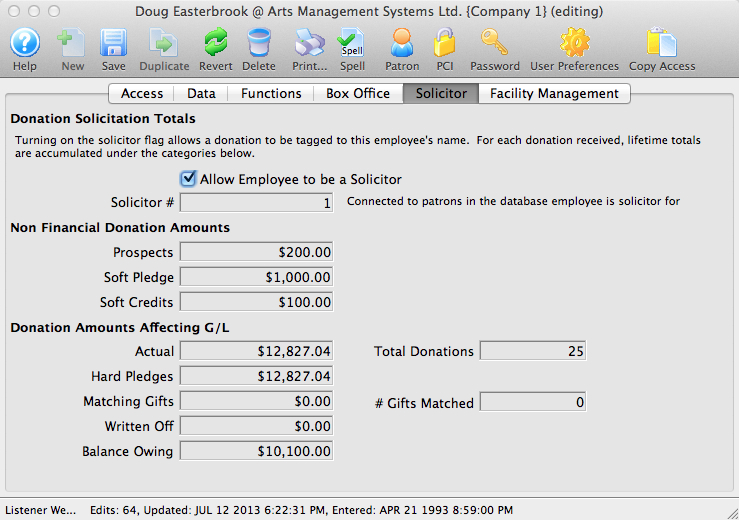
Parts of the Solicitor Tab
| Allow Employee to be a Solicitor | When checked an employee can accept donations under their name. |
| Prospects | Total amount of prospective donations generated by the employee. |
| Soft Pledge | Total amount of soft pledges solicited by the employee |
| Soft Credits | Total amount of soft credits solicited by the employee |
| Actual | Total amount of actual donation $ solicited by the employee |
| Total Donations | Total number of donations that have been solicited by the employee |
| Hard Pledges | Amount of hard pledges solicited by the employee. |
| Matching Gifts | Total matching gift donations solicited by the employee. |
| # Gifts Matched | Number of matching gifts solicited by the employee. |
| Written Off | Amount of written off donations solicited by the employee. |
| Balance Owing | Balance of outstanding donations solicited by the employee. |