
Main menu
You are here
Report Customization Window

You use the Report Customization window to make adjustments to the layout of a report. For more information on tips for customizing a report, click here.
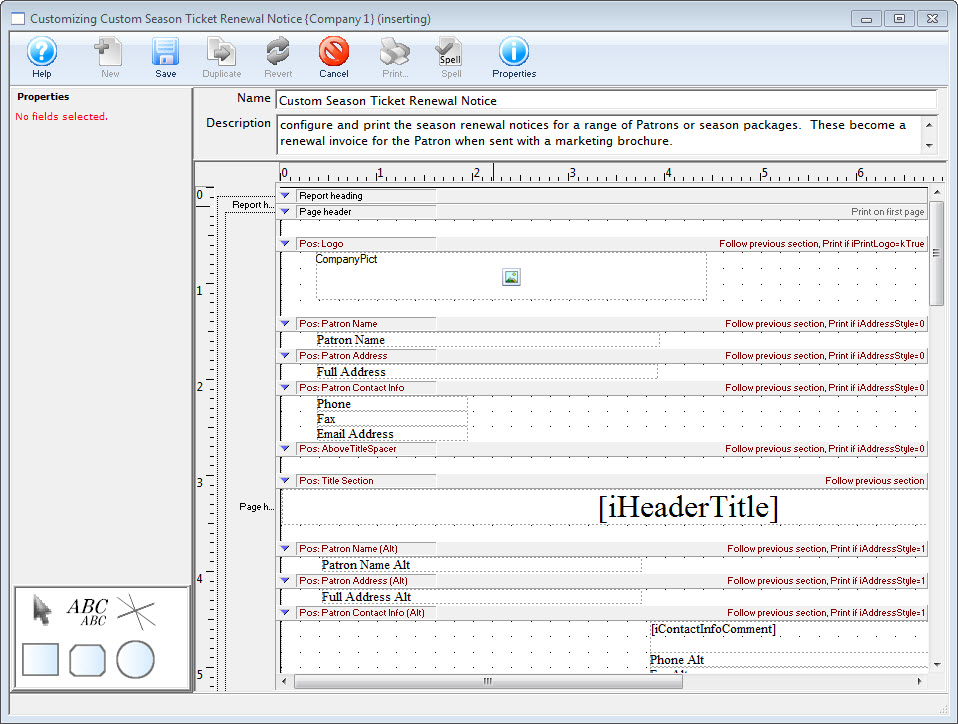
Parts of the Report Customization Window
 |
This option is not available in this window. |
 |
Saves the changes made to the custom report. |
 |
Creates a duplicate of the selected customized report. |
 |
Reverts the report to the last saved version. |
 |
Deletes the customized report. |
 |
This option is not available in this window. |
 |
This option is not available in this window. |
 |
Open the Report Properties window to allow adjustments to margins and layout. Click here for more information on the Report Properties window. |
Properties |
|
| Field Name | The name of the field on the report that is currently selected. |
| Visible | When checked, the field will be visible on the report. |
| Top | The top position of the field. |
| Left | The left position of the field. |
| Height | The total height of the field. |
| Width | The total width of the field. |
Font |
|
| Name | The name of the font to be used for the field. |
| Size | The point size of the font for the field. |
| Style | The style of the field. Bold, italic, and underline can all be used. |
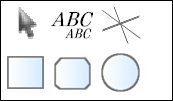 |
The toolbox allows for switching between tools that can be used in customizing the report. Click here for more information on the Report Customization toolbox. |
File |
|
| Name | The name of the custom report. |
| Description | A short description of the custom report. |
Diataxis: