
Main menu
You are here
Printing Report Cards

Report Cards can be printed from each individual student's report card record using the Print  button in the report card window, or from within Reports accessed via the Theatre Manager toolbar.
button in the report card window, or from within Reports accessed via the Theatre Manager toolbar.
- Click the Reports
 button.
The List of Reports window opens.
- Select Course Reports >> Course Report Card.
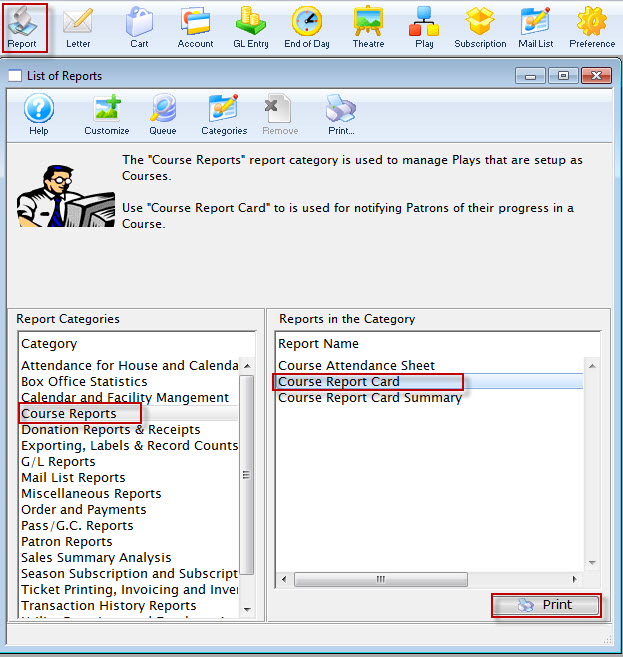
- Click the Print
 button.
The Course Report Card Criteria window opens.
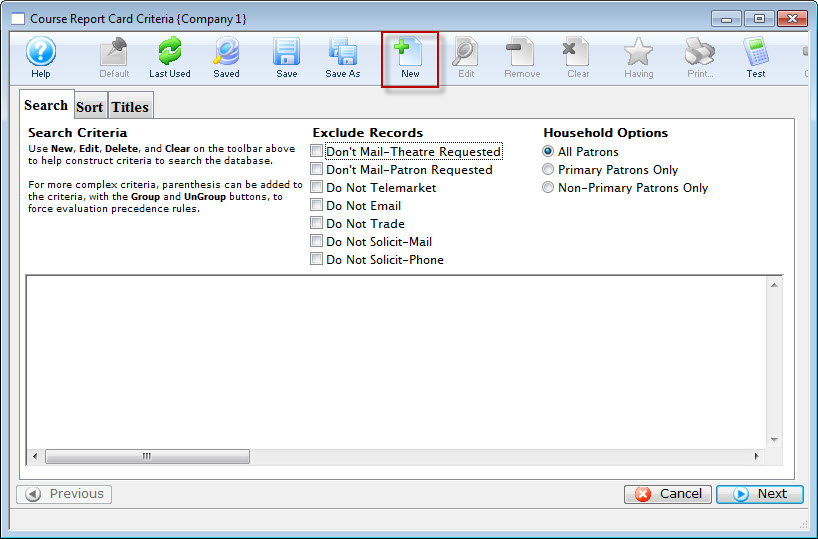
- Click the New
 button, to open the Edit Report Parameters window.
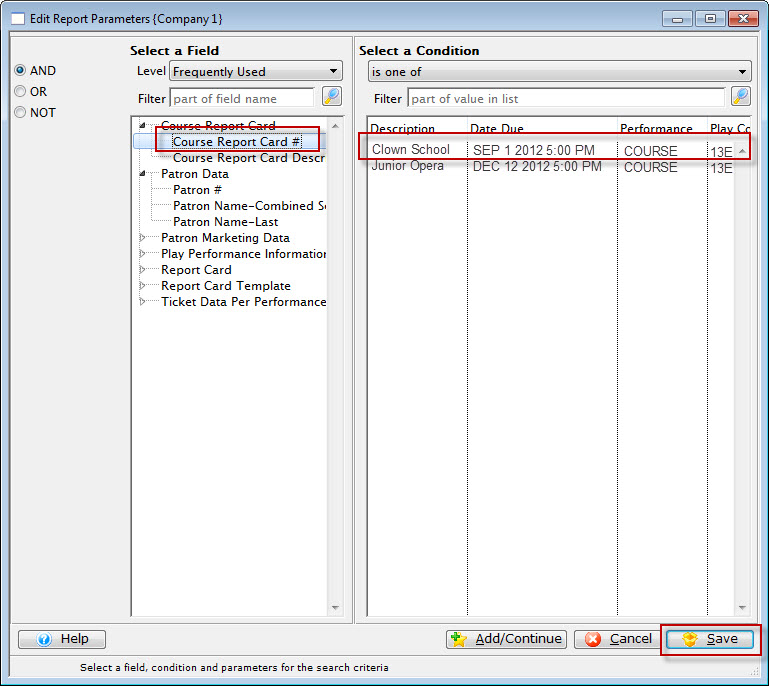
- Set the Criteria to Course Report Card #> is one of > select the Report Card you'd like to print.
- Click the Save
 button.
You are returned to the Course Report Card Criteria window Sort tab.
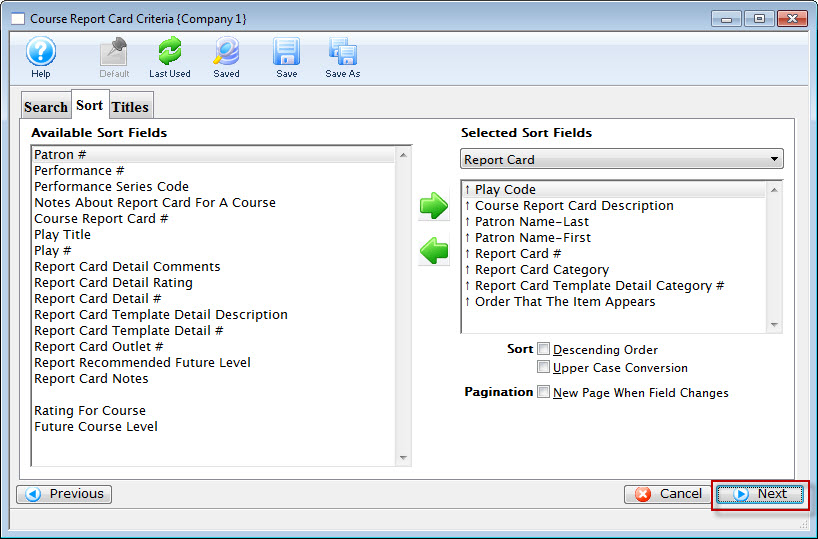
- Click the Next
 button.
The Titles Tab opens.
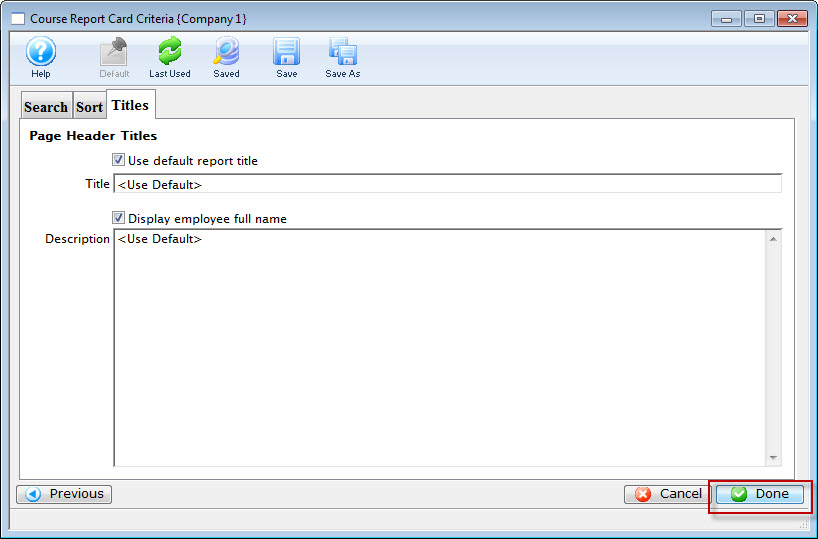
- Click the Done
 to print the report cards.
To print from Reports, you perform the following steps: