
Main menu
You are here
Volunteer Activity History and Evaluations

This section is located at the bottom of the Volunteer Window. It contains the activity history for a volunteer. Each history has an evaluation of their preformance included with it. These evaluations and comments can be used in your future selections of volunteers.
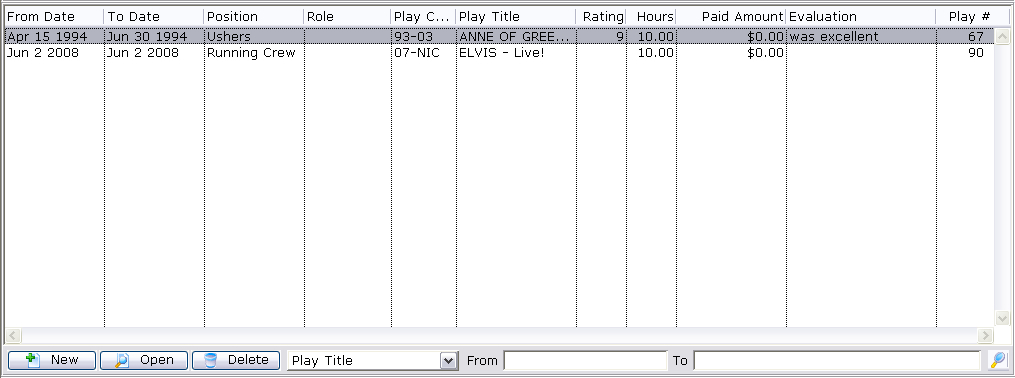
Parts of the Activity History / Evaluation Section
| From Date | The date the activity started. |
| To Date | The date the activity was finished. |
| Position | The position the activity was preformed under. |
| Role | The role of the volunteer. |
| Play Code | The play code the activity was performed for. |
| Play Title | The play name the activity was performed for. |
| Rating | The rating the volunteer recieved. |
| Hours | The number of hours the volunteer worked. |
| Paid Amount | The amount the volunteer was paid for the activity. |
| Evaluation | The comments associated with the activity. |
| Play Number | The number of the play. |
 |
Inserts a new activity into the personnel record. Click here to learn how to add an activity. |
 |
Opens the currently selected record and allows for the record to be edited. Click here to learn how to edit an activity. |
 |
Deletes the currently selected activity(s). Click here to learn how to delete an activity. |
| Search Function | Allows you to search the volunteer activity history based on a number of different categories. |
|
For Quick Reference Information on Adding Activities for a Volunteer, You can download |
