
Main menu
You are here
Voiding Credit Card Payments

A credit card payment can only be voided if you use Online
Credit Card Authorization and it has not yet been deposited. If the card
payment has been deposited refer to Reversing a
Payment.
- Open the Patron Payment Window
Click the Payment Tab on the Patron Window to open this window.
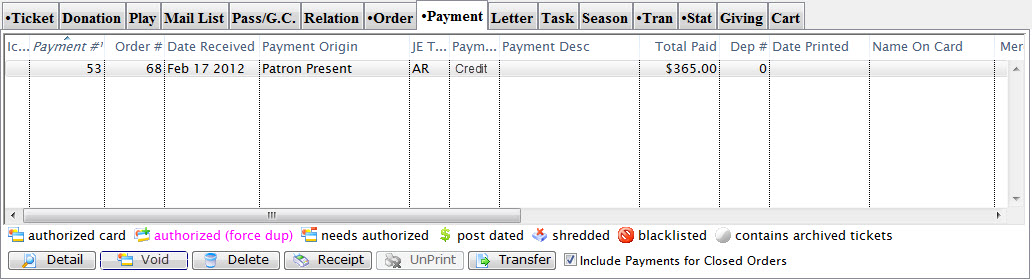
Click here for a detailed Description of this window and it's functions.
- Select the Credit Card Payment to void.
Do this by single clicking the payment.
- Click the Void
 button.
The confirmation message which opens depends on when the credit card was authorized.
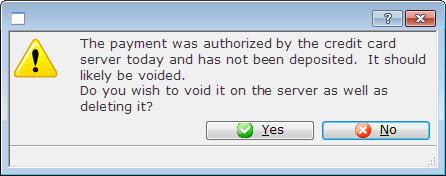
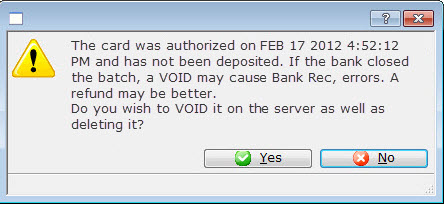
- Click Yes
 to void the credit card using you online credit card server and delete it
from Theatre Manager.
to void the credit card using you online credit card server and delete it
from Theatre Manager.
A confirmation message displays in the status bar.

Diataxis: