
Main menu
You are here
Deleting Patrons

A patron can only be deleted if there is there is no Financial History associated with the record. Employee access to deleting records can be controlled when employees are created in Theatre Manager. Refer to the section Employee Access.
 |
A patron who has financial transactions of any kind associated with their record cannot be deleted. You can mark them as deceased or do not email and included those criteria in reports and mail lists. |
Deleting a patron with no financial information
- Find the patron to be deleted in the contact list.
Click here to learn how to find patrons.
Single click on the patron to be deleted in order to select them.
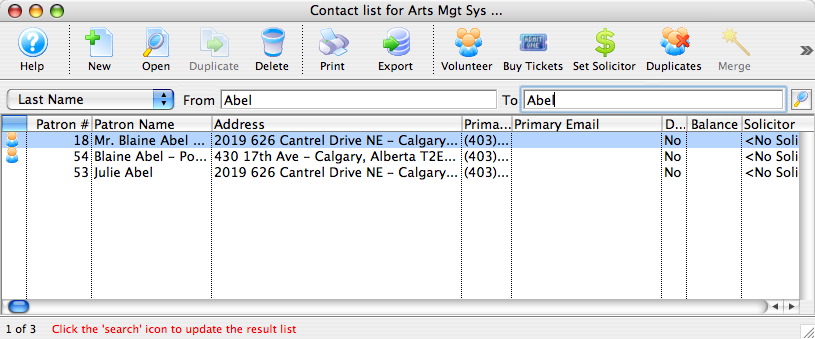
- Click the Delete
 button
on the Contact List window toolbar / ribbon bar.
button
on the Contact List window toolbar / ribbon bar.
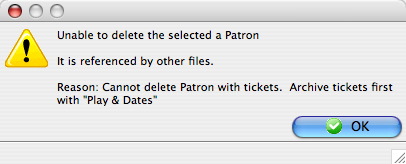
If the patron record contains financial history several diifferent messages, similar to the one below, will appear.
If the patron record contains no financial history, a confirmation window will appear.
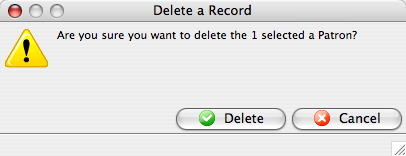
Click the Delete
 button.
When the deletion is successful, the patron record and patron number are removed. That patron number is not be re-assigned to another patron. This number is no longer available for use as it was a unique identifier to that specific patron.
Removing patrons with financial history
Theatre Manager needs to keep a record of all sales and financial data intact to ensure the overall system balances and all part reports show proper ticket sales, donations, etc.
There are two trick you can employ to making these people go away.
|
Option 1: Change the name of the patron::
|
|
If you really want to get rid of patrons with history:
|