
Main menu
You are here
Exporting General Ledger Entries

 |
The General Ledger data can only be exported once. The entry is flagged as being exported when it is done so no one exports it twice by mistake.
If you lose the export file, you'll need to clear the export flag using the Clear Export G/L button in the toolbar prior to exporting the entry again. |
 |
GL Entries can only be exported if they:
|
Exporting General Ledger Entries allows you to take the entries and import them into your accounting software package. They can be exported in one of two places with the same result and the export format is defined in company preferences. You can export:
- selected from the list of general ledger entries window. Only the ones you select can be exported, and only if they are not already exported
- all not-yet-exported GL entries using the export button on the final tab of the End of Day Wizard. This gives an automatic way of picking up all the latest GL entries that have been posted and its the preferred location to do the export
Exporting G/L Entries from the list
- Click the G/L Entries button at the top of the window in Theatre Manager.
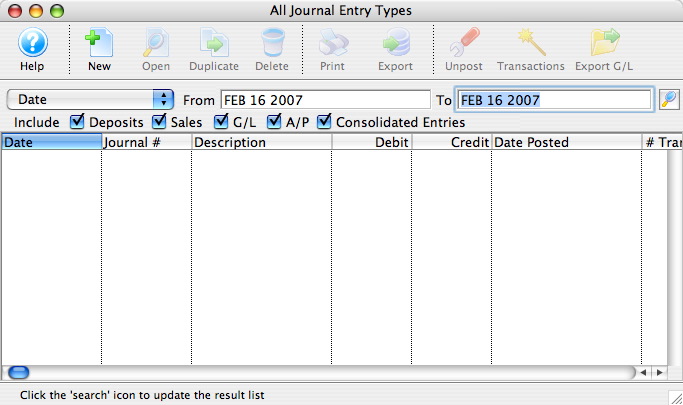
- Set the date in the To and From fields for the transactions to be exported, and click the Search
 button.
- Select the entries to be exported.
- Click the Export G/L
 button.
The user's operating system's Save dialog opens.
- Enter a filename to save the export under and click the OK button.
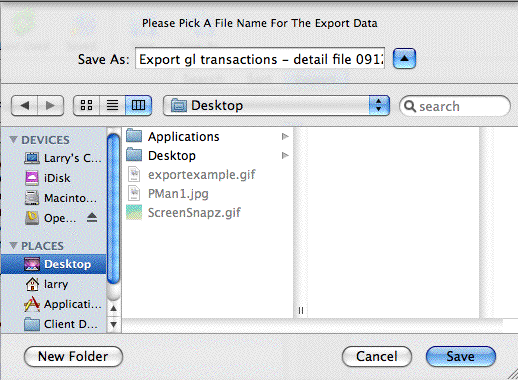
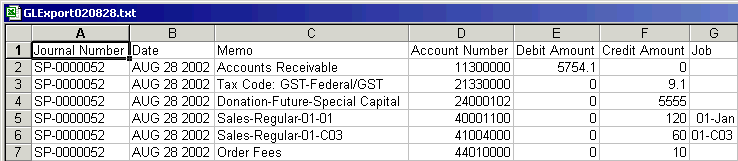
The file will now be saved in Tab Delimited format for import into another program. Please reference the program's help section for information on importing.
Diataxis: