
Main menu
You are here
Donation Campaign List Window

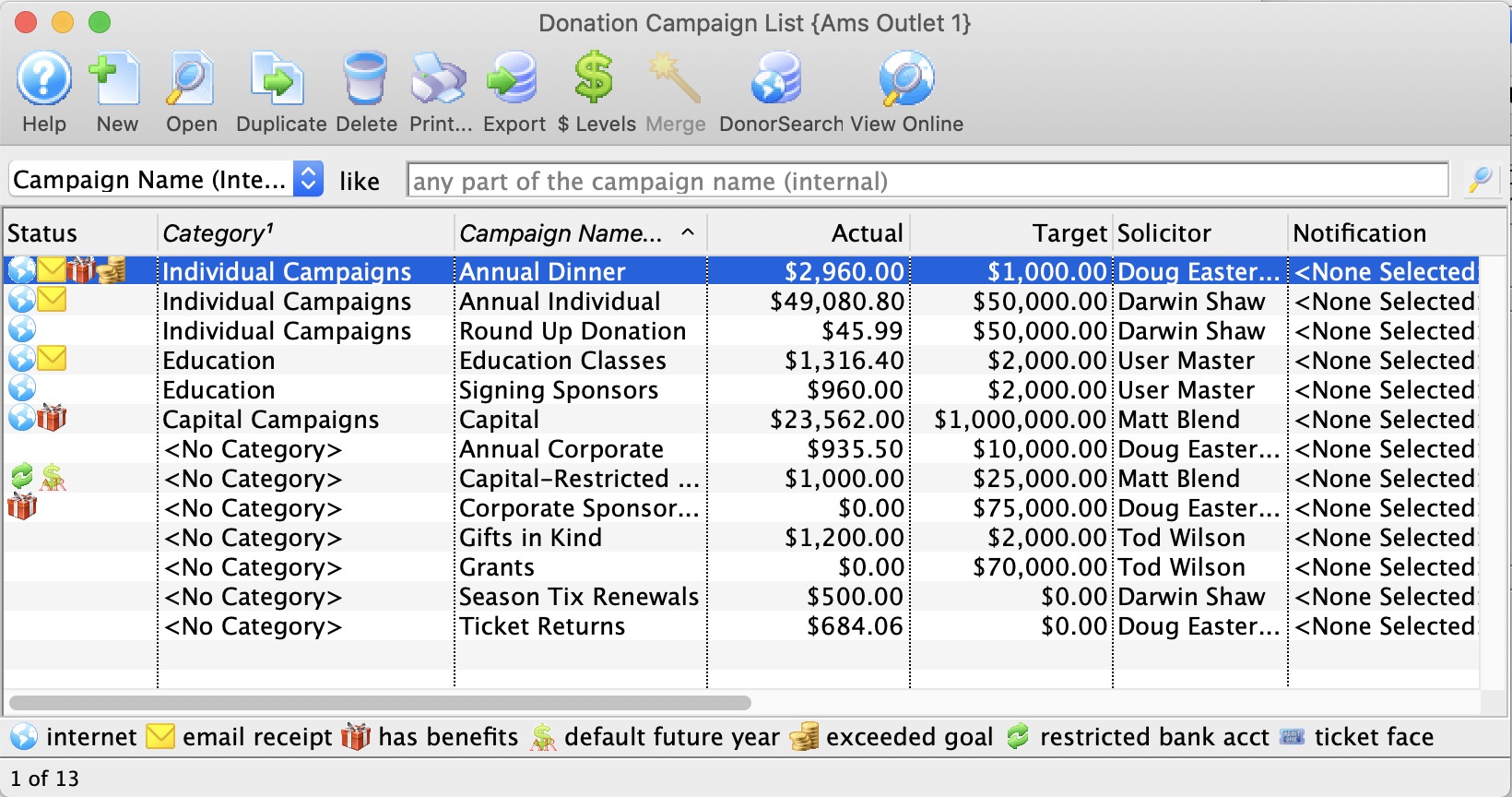
Parts of the Donation Campaign Window
 |
Accesses the Help section for this window. | |
 |
Inserts a New campaign through the Campaign Detail Window. For more information on inserting campaigns click here. | |
 |
Opens a window to edit a campaign through the Campaign Detail window. For more information on editing campaigns click here. | |
 |
Deletes a campaign. For more information on deleting campaigns click here. | |
 |
Generates a report of donation campaigns to the screen or default print location. | |
 |
Exports out a donation campaign list in a tab-delimited format. | |
 |
Opens the Donation Giving Levels Window. For more information on giving levels click here. | |
 |
Merges two campaigns.For more information on merging campaigns click here. | |
 |
Opens the DonorSearch Analytic List Window. | |
| Category | The code table category assigned to the donation campaign for online ordering and categorization | |
| Campaign | The name of the donation campaign. | |
| Actual | Dollar value the donation campaign has collected to date. | |
| Solicitor | The main solicitor for this campaign. | |
| Notification | Message sent to inform user of activity to this campaign. | |
| Pledged | The total pledges to date. | |
| Soft | Soft Credits associated with this campaign. | |
| Outlet-Owner | The Outlet associated with the campaign. | |
| Count | The number of pledges to date. | |
| Giving Level | The giving level matrix that is being used by the donation campaign. Click here to learn how to set up a giving level matrix. | |
| Campaign Flag | Include the campaign in patron statistics tab |
Diataxis: