The Transaction Monitor
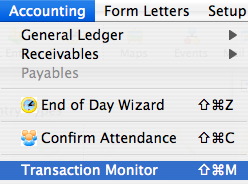
The Transaction Monitor displays the transactions which have taken place on the current day. Theatre Manager automatically updates the monitor every thirty seconds.
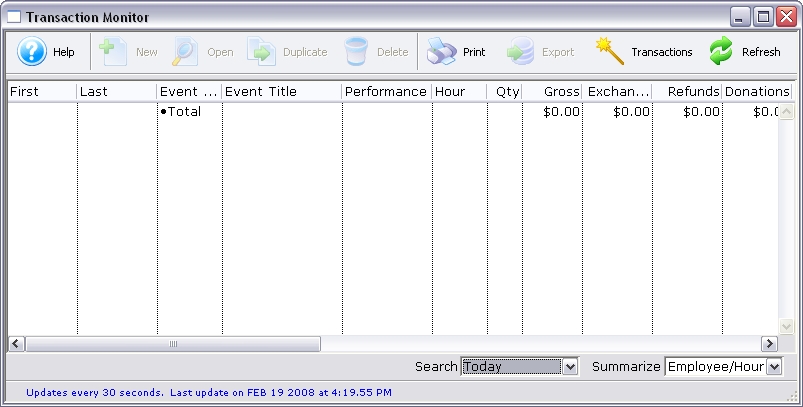
Parts of the Transaction Monitor Window
 |
This function is not available in this window. |
 |
This function is not available in this window. |
 |
This function is not available in this window. |
 |
This function is not available in this window. |
 |
Prints a copy of the information in the window. |
 |
This function is not available in this window. |
 |
Opens the Transaction window. For more information on the Transaction window, click here. |
 |
Forces an update of the data in the window immediately. |
| First Name | The first name of the employee who performed the transaction. |
| Last Name | The last name of the employee who performed the transaction. |
| Event / Play Code | The event / play code of the event that was affected. |
| Event / Play Title | The title of the event / play affected. |
| Performance | The performance the transaction occurred for. |
| Hour | The hour in which the transaction occurred. |
| Quantity | The quantity of tickets in the transaction. |
| Gross | The amount of sales of the transaction. |
| Exchange | The exchange amount of the transaction |
| Refunds | The refund amount of the transaction. |
| Donation | The donation amount of the transaction. |
| Membership | The membership amount of the transaction. |
| Total | The total of the transaction. |
| Date | The date of the transaction. |
| Time | The time of the transaction. |
| Fee | The fee associated with the transaction. |
| Campaign | The donation campaign associated with the transaction. |
| Description | A description of the transaction. |
| Seq # | The sequence number of the transaction. |
| Code | |
| Trans. Date | The transaction date. |
| Total | The total of the transaction. |
| Event / Play # | The event number associated with the transaction. |
| Performance # | The performance number associated with the transaction. |
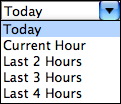 |
Selection to show the transactions for the current day, current hour or by the last two hours. |
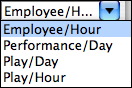 |
The preferred view of the transactions to be displayed in the monitor window. |