Relation Tab
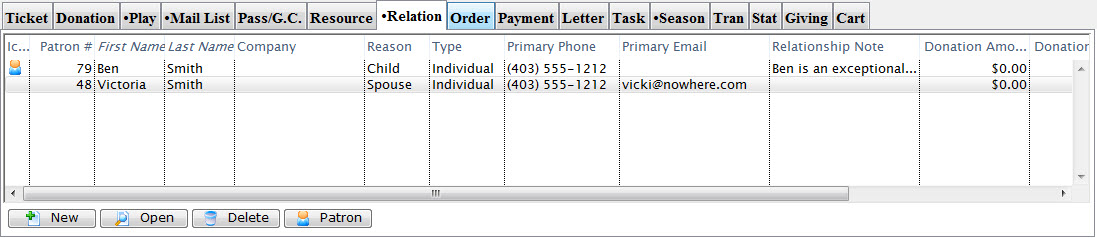
 The relationships tab shows the relationships that this patron has with other patrons in the database. This could be used like various types of patron interactions like:
- Coworkers, bosses or employee relationships - which might be beneficial for group sales
- family relationships like parents, children, grandparents or gardians - for drama classes or educational purposes
- relationships created for safety reasons like doctors, who can pick up a child from drama camps (and who may not for legal reasons) - for educational classes in case of emergency.
- patrons relationships like who typically sit together (implying a change in one ticket may cause a change in another) or who definitely should not sit together
- Fundraising relationships such as whom are neighbours to each other, who are in a common circle of friends, etc. for identifying the best person to introduce you to a possible new benefactor to your cause.
 |
You can define the kinds of relationship you want to track in the relationship code table and inactivate any you no longer want to use. |
Relationships can be categorized and contain personalized notes. Select columns in the Relationship tab relevant to your organization and your relationship management.
|
When a relationship is: |
Parts of the Relationship Tab
| Patron # | The patron number of the other patron in the relationship. |
| First Name | The first name of the other patron in the relationship. |
| Last Name | Last name of the other patron in the relationship. |
| Company | The Company associated with the other patron. |
| Type | The type of relationship the patron listed has with the selected patron. |
| Primary Phone | The phone number of the patron listed. |
| The email associated with the patron listed. | |
| Relationship Note | Any notes made about the listed patron. |
| Reason | A description of what this relationship is. The relationship can be viewed from both patrons and Theatre Manager automatically adjusts the terminology displayed in the column based on the code tables. For example: under patron one, the relationship may indicate that patron one is the 'child' of patron 2. On patron 2, it will indicate that patron 2 is the 'Parent' of patron 1 to help understand the relationship easier. |
| Donation Amount Pledged | The pledge amount of the other patron in the relationship. This information could be helpful to soliciting donations of the current patron. |
| Donation Amount Soft Credit | Value of Soft Credit the other patron has. This information could be helpful in soliciting donations of the current patron. |
| Donation Count | The number of donations the other patron has made |
| Hours | Number of hours the other patron has contributed through work or volunteering. This information could be helpful in filling in volunteer or work schedules. |
| Relationship Notes | The notes allow for an additional description of the relationship. This could be useful for describing relationships of people in partnerships or business. |
| Outlet | The outlet identification number. |
 |
Adds a new relationship to the patrons record. Click here to learn more about adding a relationship. |
 |
Edits a current relationship. Click here to learn more about editing a relationship. |
 |
Removes a relationship from a patrons record. Click here to learn more about deleting a relationship. |
 |
Opens the patron record for the other patron in the relationship. |
Add A Relationship
The Relationships tab allows you to define a a connection, association, or involvement between two patrons. For example, two co-workers who purchase tickets sepatrately, but often go to events together and like to sit together. Or one patron has authorized another to pick up tickets for them.
These relationships are customizable through the Relationships code table, click here to see more information about the Relationships table.
As relationships are defined between patrons, both patrons in the relationship will be shown in each other's Relationship tab in the Patron Record.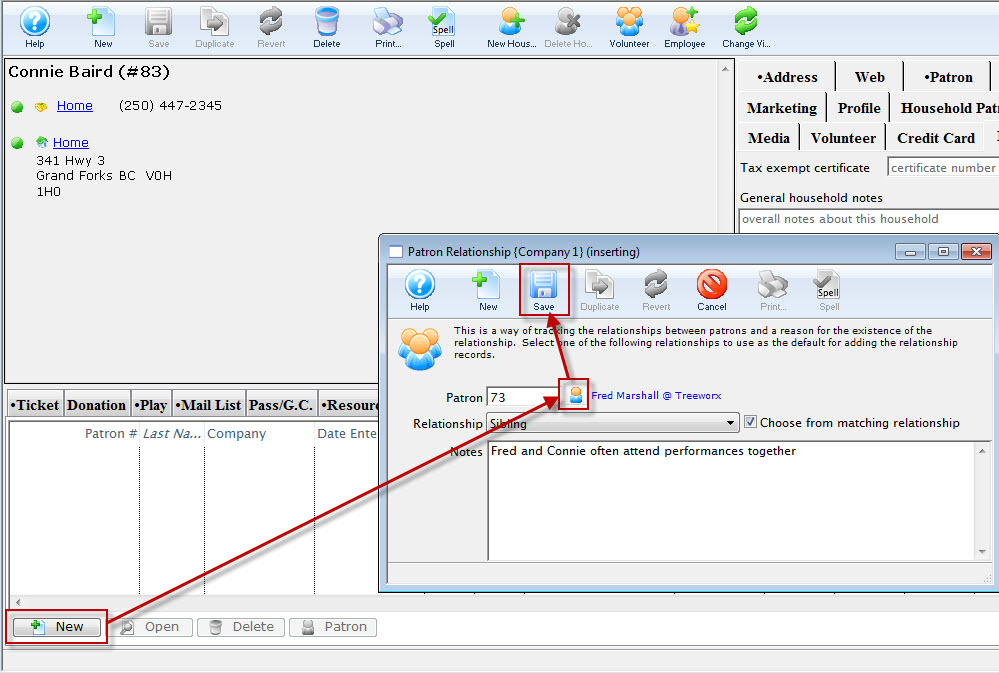
For details on how to access the Patron window click here.
- Click the Relationship tab.
- Click the Add
 button.
The Patron Relationship window opens.
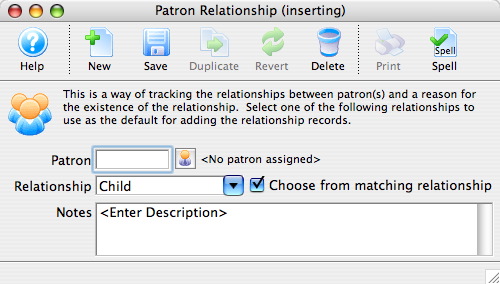
- Click the Patron
 button.
The Contact List opens.
- Search for the other patron in the relationship.
For more information on searching for patrons click here.
- Click the Select
 button.
- Choose a Relationship from the drop down.
The drop-down is populated from the Patron Relationships Code Table. For more information about how to set those values, click here. When setting up the code tables, you can define the Relationship type and the inverse name for the relationship. For example, Parent/Child
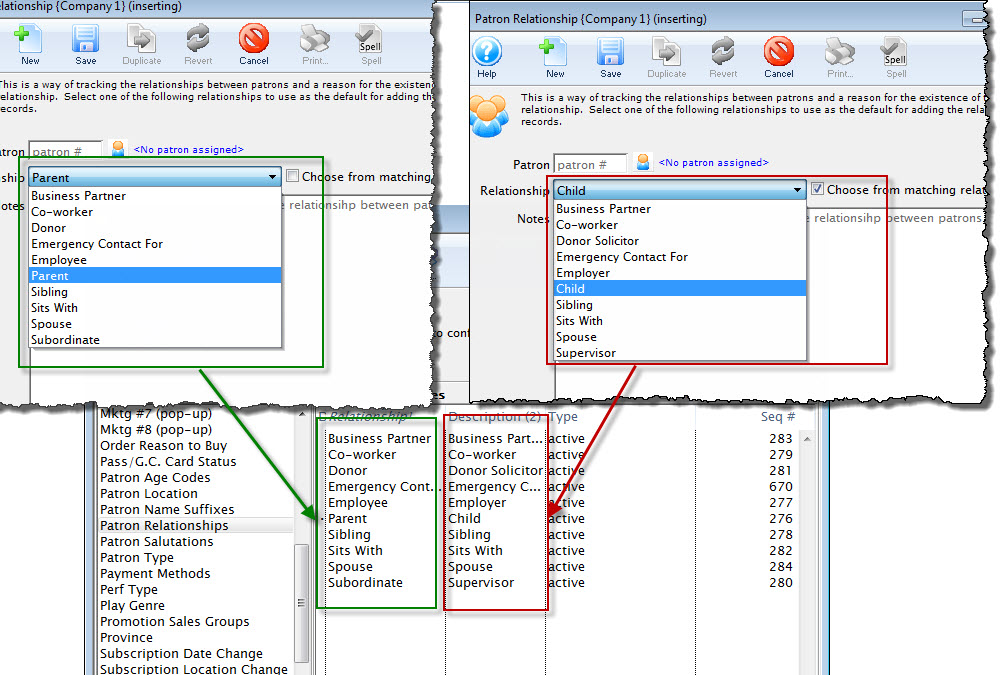
When you un-check the check box in adding a relationship in the Patron, you are presented with only the the Relationship Type and not the inverse. For more information on the Patron Relationship code table, click here.
- Enter any applicable notes.
- Click the Save
 button.
- Close the Patron Relationship window.
The new relationship now appears in the Relationships tab of both patrons.
Add Multiple Relationships
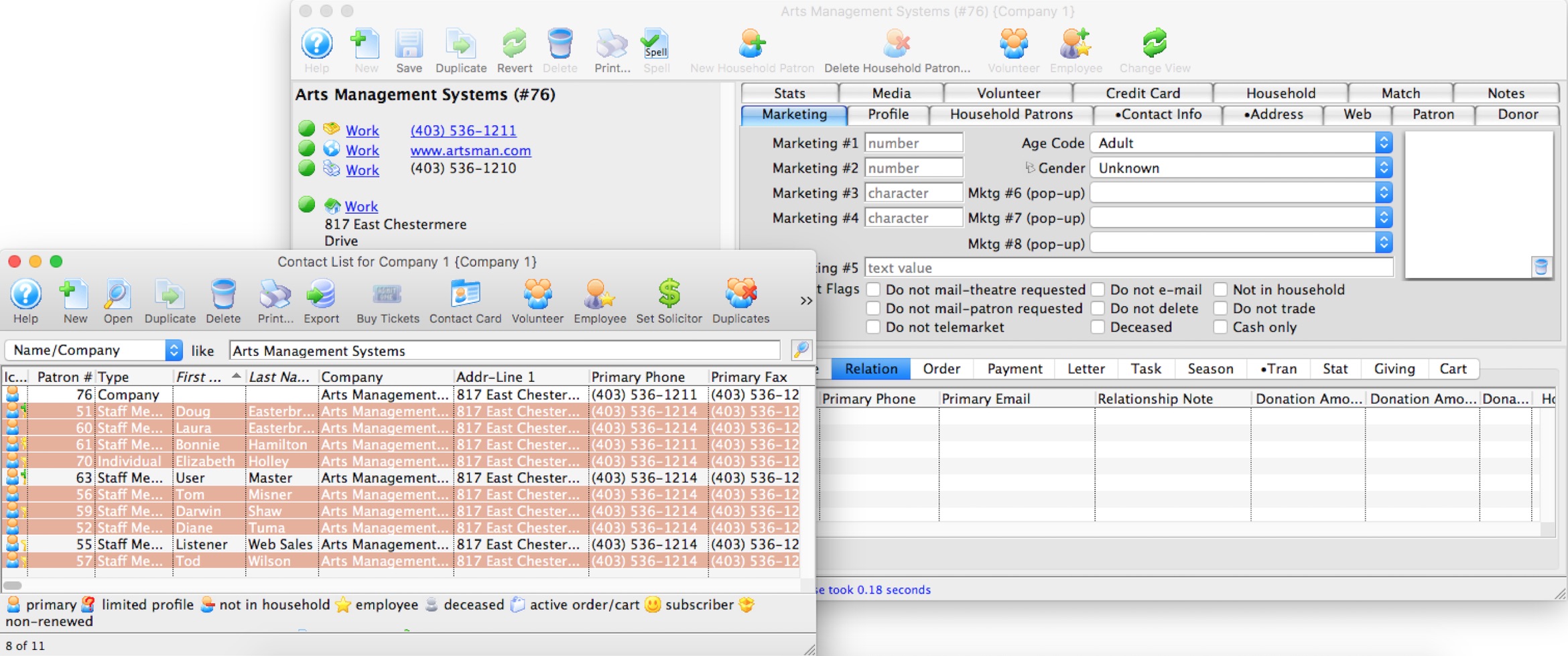
A convenient way to add multiple relationships to a Patron Record by dragging a number of patrons from the Contact List window onto the Relation tab of a Patron Record.
For example, this would be useful if you were creating relationships between a company and all the staff, volunteers or donors that are associated with that company. To complete this task quickly, you would:
- Find the company Patron Record in the database.
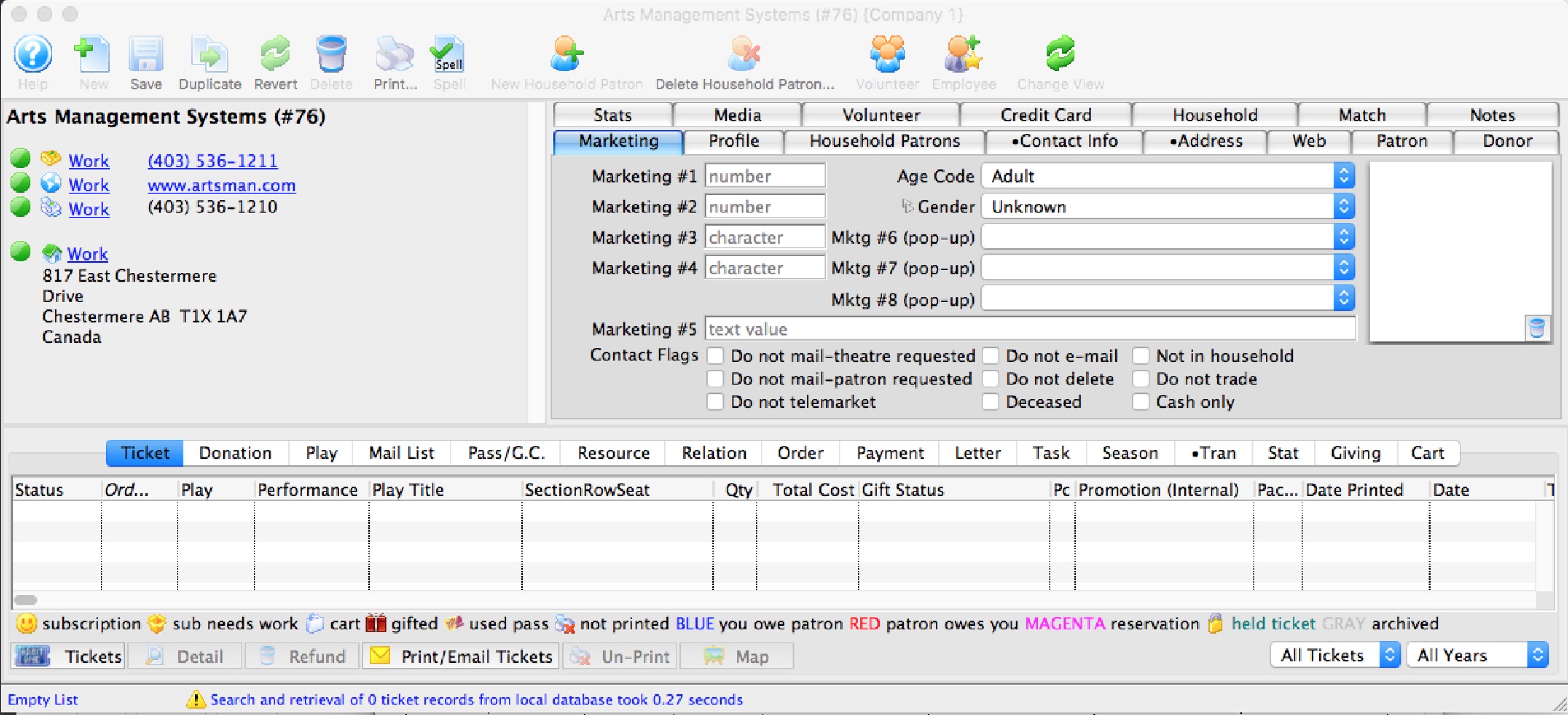
- Open the record and select the Relation tab.

- Open the Contact List window and find all Patrons that work for the company.
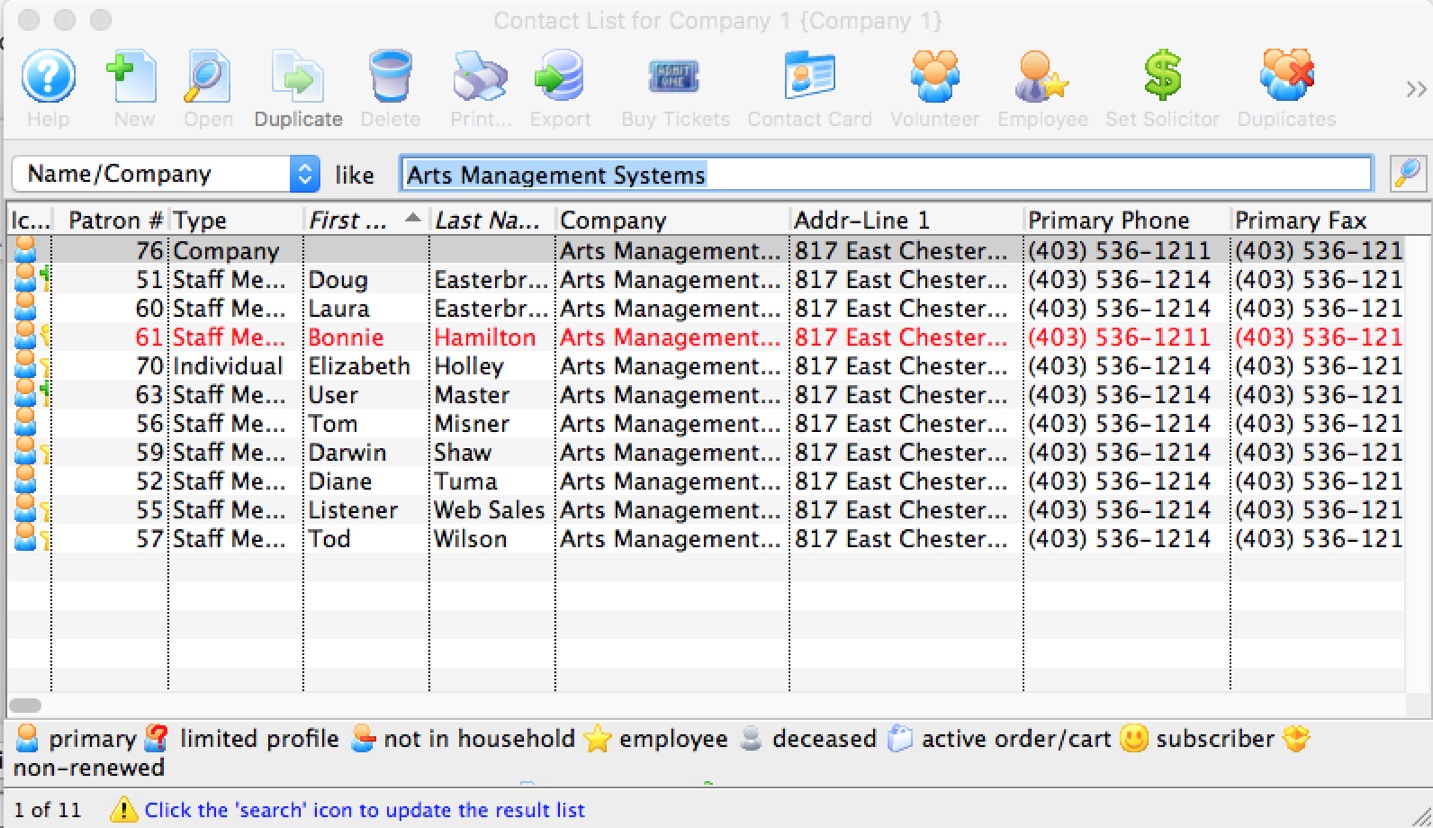
- Highlight and drag the Patrons from the Contact List window onto the Relation tab.
- Theatre Manager asks for a relationship. The opposing relationship is applied to all Patrons that are being added.
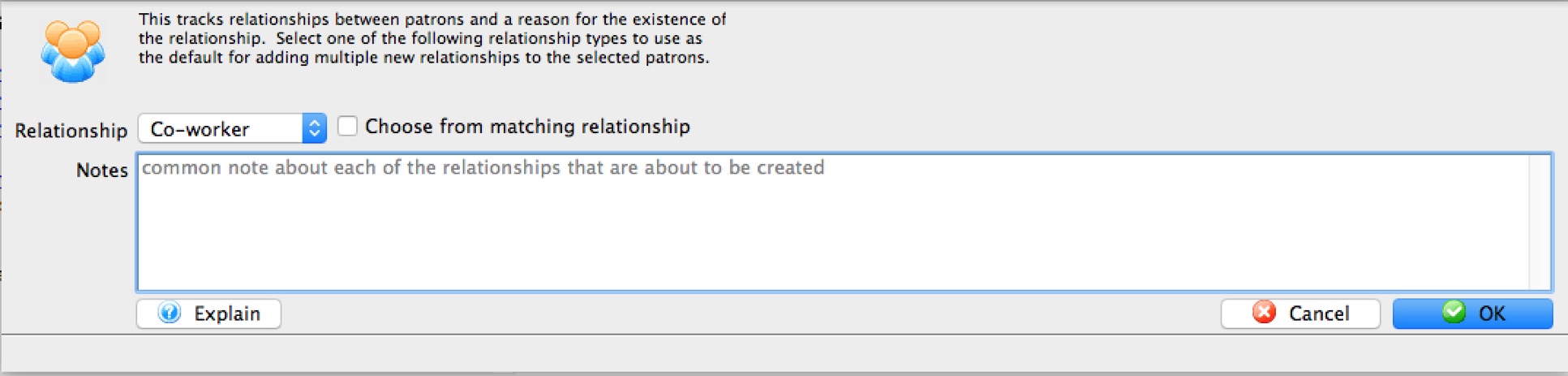
- Click the OK button to create the relationships.
Should the corresponding relationship not currently exist, it can be added in the Patron Relation section of the Code Tables.
Delete Relationship
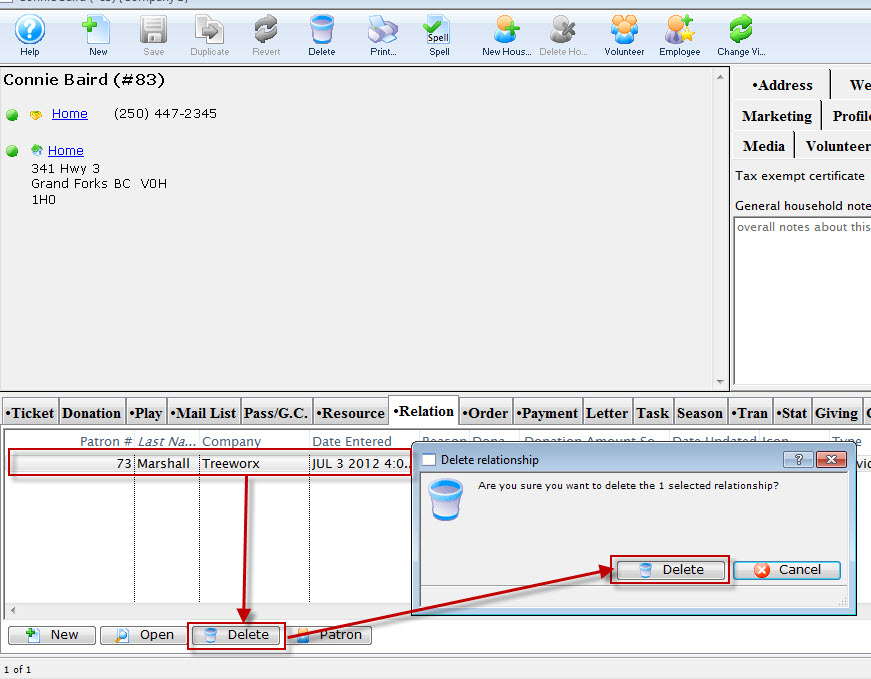
- Open the Patron
 window.
For details on how to access the Patron window click here.
- Click the Relationship tab.
- Click the Delete
 button.
A warning message will appear.
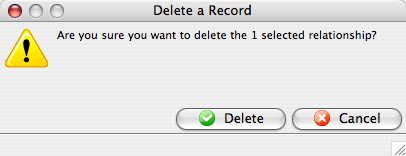
- Click the Delete
 button.
The relationship is now deleted from both patrons records.
Edit a Relationship
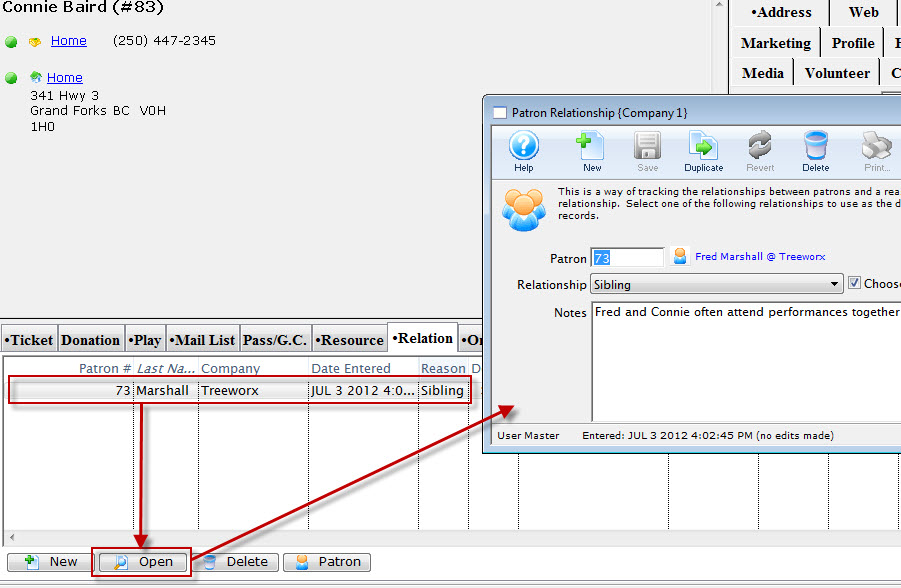
To edit an existing relationship, you perform the following steps:
- Open the Patron window.
For details on how to access the Patron window click here.
- Click the Relationship tab.
- Select the relationship to be edited.
- Click the Edit
 button.
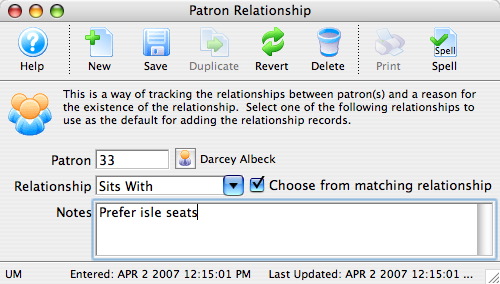
- Edit the relationship information as needed.
- Click the Save
 button.
- Close the Patron Relationship window.
The new relationship now appears in the relationships tab.