
Main menu
You are here
Mail List Tab


This tab is used to view all of the mail lists that a patron belongs to. It is also used to manually add or remove patrons to or from a mail list. You can also access the mail list criteria window from this tab.
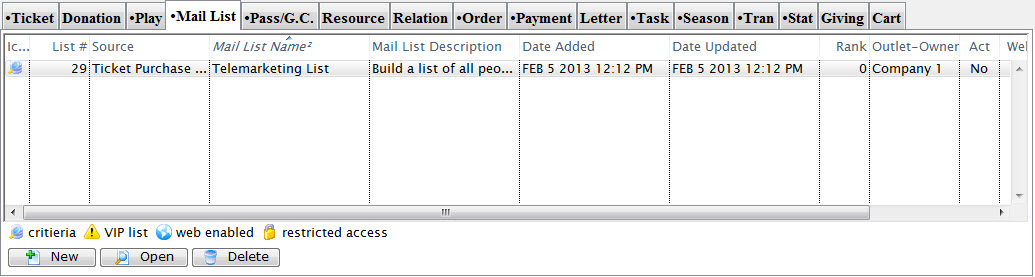
Parts of the Mail List Tab
| List # | This is the number that was assigned to the mail list when it was created. |
| Source | How the patron was added to the mail list. |
| Mail List Name | This column displays the names of the mail lists that the patron belongs to. |
| Mail List Description | This is a brief description of the nature of the mail list. |
| Date Added | This is the date that the patron was added to the corresponding mail list. |
| Date Updated | The date the mail list was last ran or updated. |
| Outlet-Owner | The outlet the mail list belongs to. |
| Mail List Active? | Displays the current active or inactive state of the mail list. |
| Web? | Shows the mail lists status on the web site. |
| Changed By | The last person to edit or update the mail list. |
 |
Clicking this button allows the user to attach a patron to any mail list manually. For more information, Click here. |
 |
Clicking this button opens the mail list criteria window. For more information on mail list criteria and how it can be edited click here. |
 |
This button removes a patron from the selected mail list. For more information Click here. |
Diataxis: